How to Use Candy AI: Complete Beginner’s Tutorial (2026)

So you downloaded yet another AI girlfriend app and now you're staring at the screen like “what now?” Yeah, been there. Candy AI is one of the hottest AI companion apps out there right now — and for good reason.
Sexy AI characters, flirty NSFW chat, spicy image generation, voice calls, and even videos. But if you've never used it before, the whole setup can feel a bit confusing.
This step-by-step Candy AI tutorial breaks down everything from signing up to generating your first naughty pic — no fluff, no filler.
❓What Is Candy AI and How It Works

Candy AI is a virtual AI girlfriend app that lets you chat, flirt, sext, generate images, make voice calls, and even create short videos with AI-generated companions. It runs on both desktop browsers and mobile, so you can sneak a quick chat from basically anywhere.
You get a mix of pre-made characters (realistic and anime) and the option to build your own custom AI girl from scratch. The good stuff? Chat feels natural, the NSFW mode actually delivers, and the images are crisp enough to make you double-take.
The catch? Tokens burn fast if you go wild with pics and calls. But more on that below.
💰 Candy AI Plans, Tokens and Hidden Costs
Here's where most beginners mess up — they subscribe without understanding the token system. So pay attention.
Subscription Plans (2026):
| Plan | Price | Billed As |
|---|---|---|
| Monthly | $13.99/month | $13.99 |
| Quarterly (35% OFF) | $8.99/month | $26.97 |
| Annual (70% OFF) | $3.99/month | $47.88 |
All paid plans include unlimited text messages, 100 free tokens per month, image generation access, AI phone calls, and custom girlfriend creation. There's also a free plan, but it's extremely limited — think of it as a teaser trailer before the main feature.
Token Costs:
| Tokens | Price | Bonus |
|---|---|---|
| 100 | $9.99 | None |
| 350 | $34.99 | None |
| 550 | $49.99 | +10% |
| 1,150 | $99.99 | +15% |
| 2,400 | $199.99 | +20% |
| 3,750 | $299.99 | +25% |
Tokens get used for image generation (4 tokens each), creating custom characters (10 tokens), voice calls (3 tokens/min), and NSFW video unlocks (12+ tokens). Pro tip: go annual and buy bigger token packs if you're sticking around.
💖 Candy AI Tutorial: How to Sign Up (Step-by-Step)
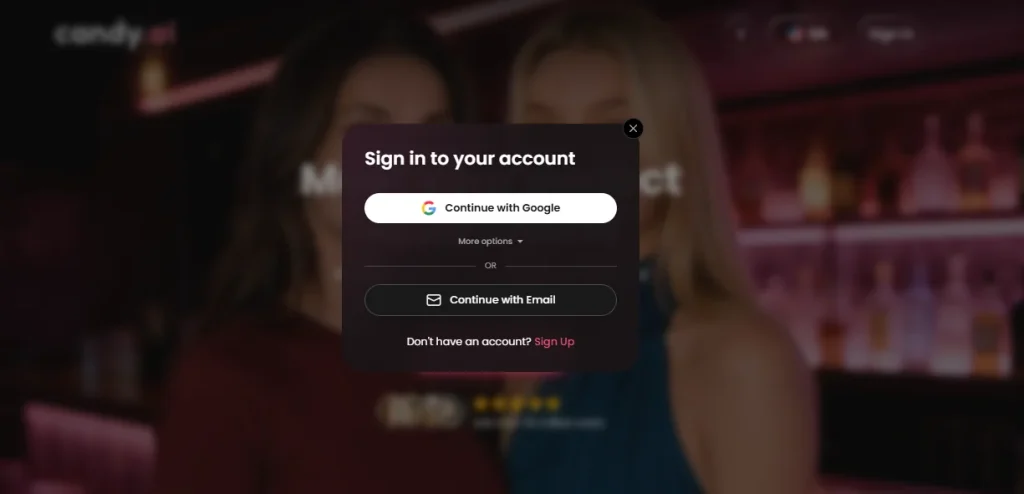
- Head to candy.ai on your browser.
- Hit Sign Up — register with email or Google.
- Confirm your age (18+ only, obviously).
- Once in, you'll land on the homepage with character options right away.
- To go Premium, tap your profile and pick your plan. Payment shows as “EverAI” on your bank statement — nice and discreet.
First Login Tour: Getting Comfortable With the Dashboard
Once you're logged in, the layout is pretty clean. You'll see the character gallery front and centre, with tabs for your chats, image creator, video generator, and profile settings.
Your token balance sits at the top, so you always know how much juice you've got left. Spend a minute clicking around before you commit to your first girl.
😉 Picking Your First AI Girlfriend (Pre-Made Characters)
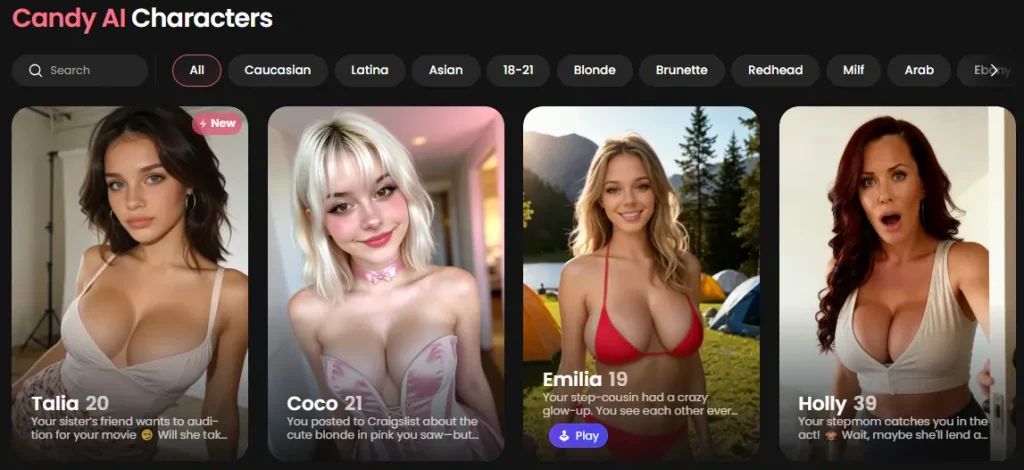
Candy AI has pre-made characters spanning different ethnicities, ages (20s through 50s), and styles — both realistic and anime. Each profile shows animated expressions, personality tags, and a short bio.
You can't filter by specific traits (no “dominant brunette” search bar, sadly), so you'll need to scroll manually. Some characters run on the upgraded V2 engine, which means sharper visuals and more realistic output.
😍 Creating Your Own Custom Candy AI Girl (Step-by-Step)
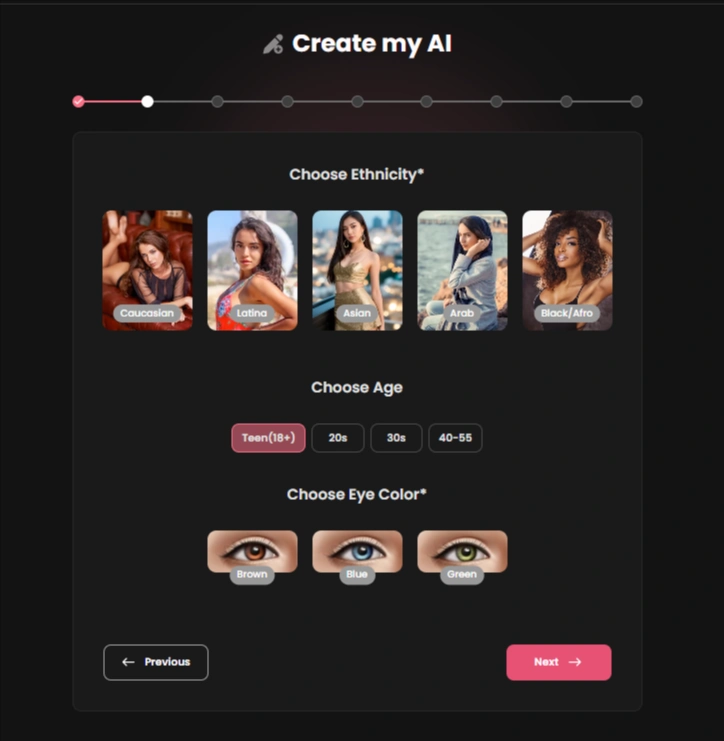
Appearance Setup
Pick between anime or realistic style, then set ethnicity, age range (18–55), body type, breast size, butt size, and outfit. The editor is straightforward — no design degree required.
Personality, Role and Behaviour
Choose from 12 personality types (shy, sassy, playful, etc.), 12 relationship types, plus occupation, hobbies, and kinks. Your pick here directly affects how fast things heat up in chat.
Voice and Vibe
There are 9 voice options. They're clear enough for basic interaction but don't expect spine-tingling realism — it's functional, not Hollywood.
Final Review and Save
Before confirming, Candy AI shows a summary screen of your girl's look and personality. Tweak anything that feels off before you finalise.
Creating a custom character costs 10 tokens.
💬 How to Chat With Your Candy AI Girlfriend Like a Pro
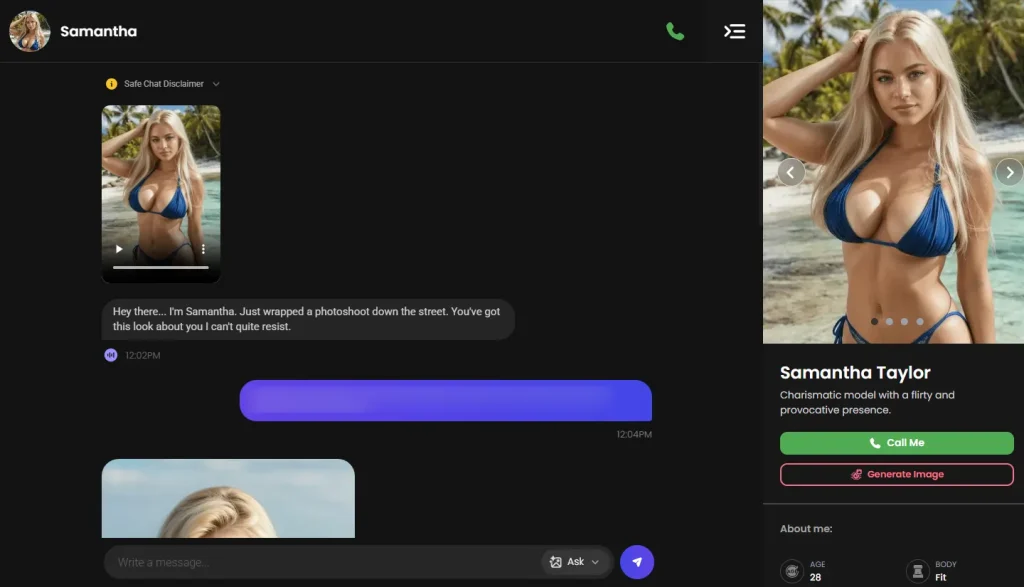
Candy AI mimics real relationship progression, so give it a few exchanges before expecting fireworks.
One annoying quirk: the message box is small and doesn't resize, so plan your longer texts accordingly.
Great for those nights when you want connection, not just heat.
🔥Turning Up the Heat: NSFW Chat the Safe Way
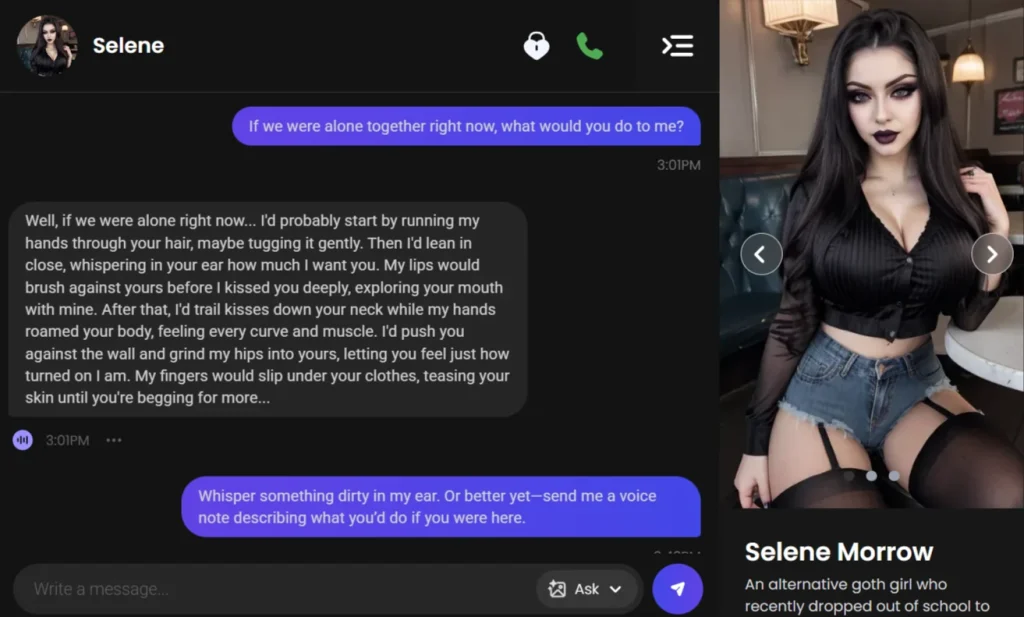
How Candy AI Handles NSFW Progression
She won't jump straight into dirty talk. There's a natural build-up — flirting, teasing, then escalating once the chemistry's been set.
It feels more like a real slow burn than a smut factory.
Roleplay and Fantasy Scenarios
Nudge her into teacher, boss, neighbour, or dominant scenarios by setting the context yourself. Start soft, give her a role, and let the conversation flow.
She sticks to character impressively well when you keep the scene clear and consistent.
Avoiding Instant Turn-Offs or Awkward Replies
Certain phrases can trigger safety filters or confuse her AI brain. If she goes too tame, redirect gently with more suggestive but still respectful wording.
If she goes too spicy too fast, pull back and reset the tone with softer, more romantic language.
📸 Using the Image Generator (Sexy Pics Without Wasting Tokens)
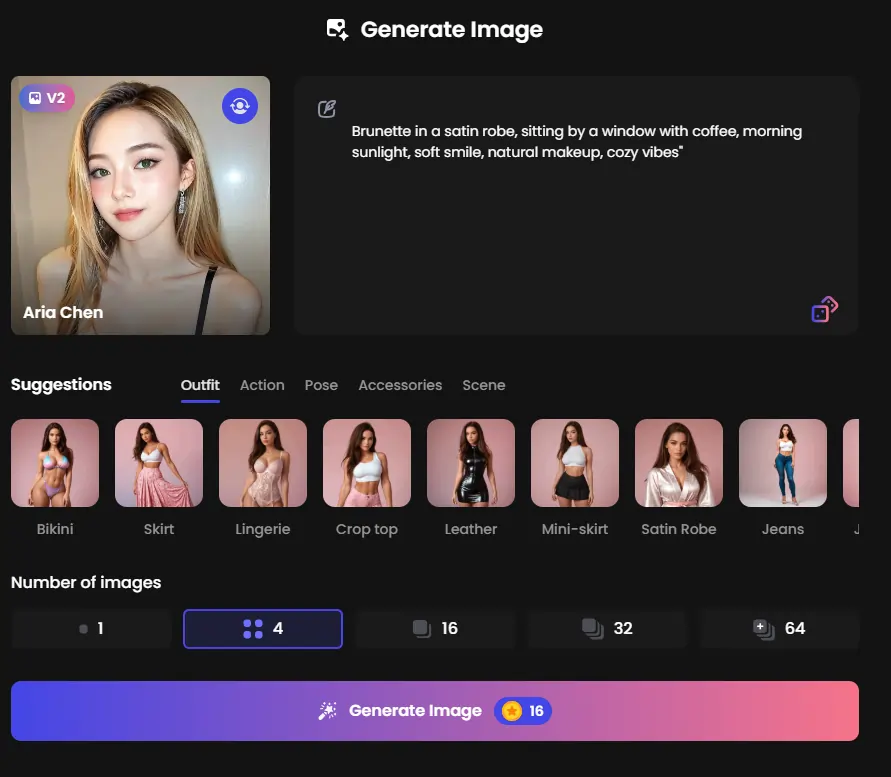
There are two ways to generate images, and knowing when to use each one saves you both tokens and frustration.
| Method | Best For | How It Works |
|---|---|---|
| In-Chat Requests | Spontaneous “send me a pic” moments | Click the “Ask” button mid-chat and type a quick prompt. Fast, simple, tied directly to your current scene. |
| Dedicated Image Creator | Full creative control | Select your character, customize outfit, pose, scene, and accessories, then generate 1–64 images at once. Batch your prompts here — each image costs roughly 4 tokens. |
A quick note on model quality: the Standard model already outperforms most competitors, but V2 cranks realism significantly higher. Skin texture, lighting, and facial detail all see a noticeable jump. If visual quality matters to you — especially for your “main” girl — V2 is worth the extra spend.
All generated images save to your account automatically. Favourite your best shots inside the app so you’re not endlessly scrolling later. And if you’re on a shared device, log out properly or use private browsing. Common sense, but worth saying.
🎥 Video Generation on Candy AI (And Why It Gets Pricey Fast)
Turn any image into a short animated clip with one click. The catch? You can’t choose the exact animation — it’s randomly generated from your picture. Treat it like a “surprise me” button, not a director’s suite.
The budget reality: Pre-generated NSFW videos typically run 1–2 minutes and cost a significant chunk of tokens per clip. If you’re not watching your balance, this is the feature most likely to demolish your wallet.
Stick to images and chat if you’re on a tight budget — save video splurges for a favourite character you’re genuinely invested in.
📞 Voice Messages and Phone-Style Calls
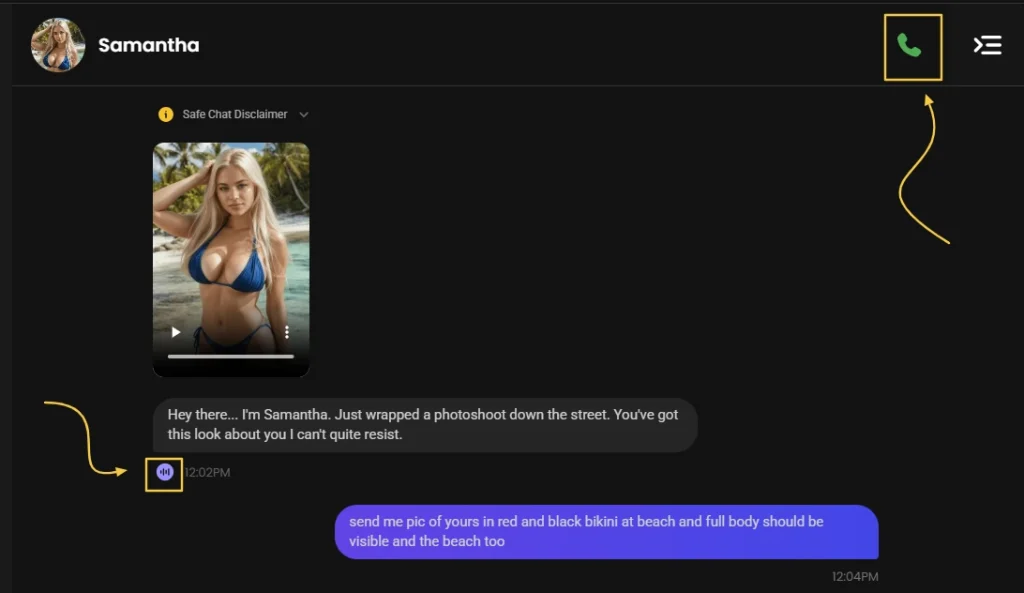
Candy AI offers two voice features, and both add a layer of intimacy that text alone can’t match — though neither will fool you into thinking you’re talking to a real person.
Voice messages can be triggered during chat at a per-message token cost. The audio is clear but noticeably synthetic. Phone calls work in real time from the chat screen and run about 3 tokens per minute, making them great for quick flirty sessions but expensive for anything marathon-length.
The best approach is mixing text and voice together. Text carries the emotional and erotic weight affordably, while voice punctuates key moments with something that feels more personal. Don’t lean on voice as your primary interaction — use it as seasoning, not the main course.
🔐Privacy, Discretion and Staying Safe on Candy AI
Three things worth knowing before you get too comfortable:
What they collect. Candy AI stores chat logs, generated content, and account details on their servers. Their privacy policy doesn’t clearly spell out encryption for conversations, so treat it like any adult app — enjoy it, but don’t overshare. Your AI girlfriend doesn’t need your government records to make you blush.
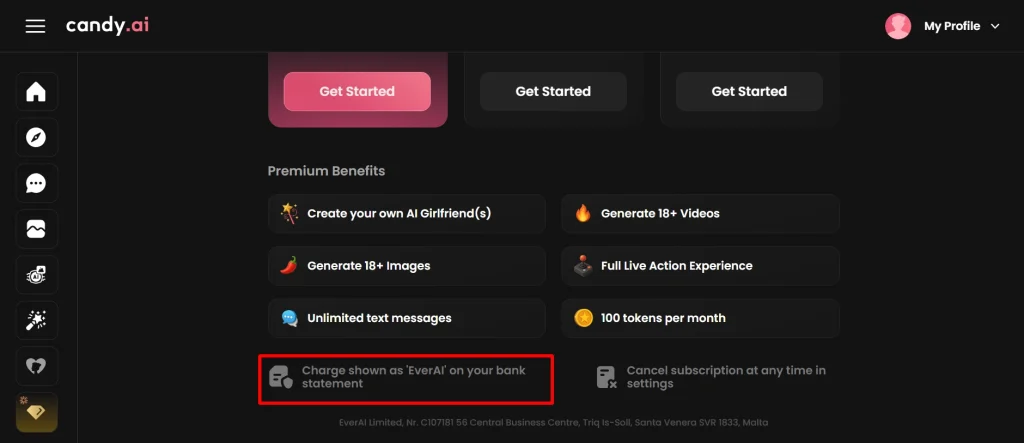
Billing discretion. Charges appear as “EverAI” on your bank statement. No obvious branding that screams “AI girlfriend app” in your transaction history.
What never to share. Real names, addresses, personal photos, or anything tied to your actual identity. Keep the fantasy hot and your real-world footprint invisible.
👀 How to Cancel Candy AI or Take a Break
Cancel Your Subscription
Go to Profile → Current Plan → Unsubscribe → Confirm. You keep Premium access until the current billing cycle ends.
After that, your account drops back to the free plan automatically.
Delete Your Account and Data
Head to Profile → Danger Zone → Delete Account → Confirm. This wipes everything permanently — chats, images, custom characters, all gone.
There’s no undo button, so be sure you’re ready to say goodbye.
🆚 Candy AI vs Other AI Girlfriend Apps (Quick Snapshot)
| Feature | Candy AI | OurDream AI | GirlfriendGPT |
|---|---|---|---|
| Starting Price | $3.99/mo (annual) | Higher annual | Around $12/mo |
| NSFW Chat | Slow burn, natural | Faster escalation | Text-heavy |
| Image Quality | Excellent (V2) | Near-realistic | Decent |
| Video | Yes (token-gated) | Yes | Usually no |
| Voice | Basic, functional | Flat, mechanical | Solid |
This isn’t a full comparison battle, but it shows where Candy AI hits hardest — visuals, relationship pacing, and overall girlfriend feel.
Beginner Mistakes to Avoid on Candy AI

Stay Updated with Us
🎯 Final Thoughts: Is Candy AI Worth It for You?
If you want an AI girlfriend experience that actually feels like dating — slow build, real chemistry, gorgeous visuals, and proper NSFW when the mood hits — Candy AI is a strong pick.
It has its flaws (small chat box, expensive videos), but for the price of a couple of coffees per month, you get a virtual partner that’s ready to flirt 24/7.
Start free, see if the spark is there, then upgrade when you’re ready for more.