How PolyBuzz AI Works: Memory, Coins & Chat Modes Explained

You tap the app. Some anime girl with a smirk says hello. You type back. Twenty messages later there's a coin popup, an ad, and she's asking your name again like the last half hour never happened.
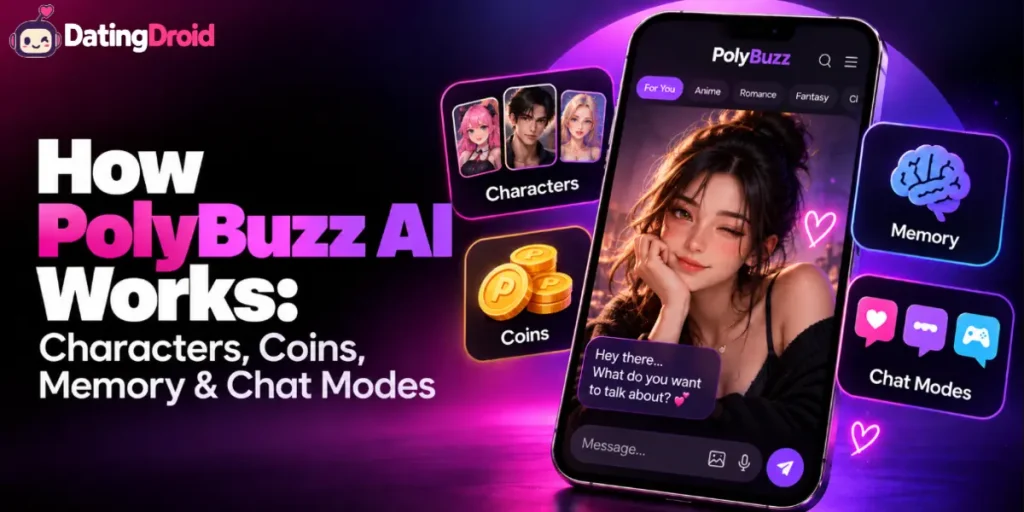
Nobody explains the plumbing. Understanding how PolyBuzz AI works — the character layer, the model layer, the memory window, the coin economy and those four chat modes buried in a menu — is the difference between flat small talk and a roleplay that actually gets your pulse going.
This is the mechanics guide. Not a scorecard, not a verdict. Just what each system does, how the pieces connect, and which switches change your chats the most.
Setting PolyBuzz AI Up Properly: A Five-Minute Walkthrough
- Write your Persona first. Name, vibe, what you're into, how you want to be addressed. This survives memory pruning and lifts every single reply.
- Pick a character with a real backstory. Open the profile before you commit. Two lines of description means two lines of personality.
- Set the mode deliberately. Immersive for slow-burn heat, Story for a proper arc, Multi-Role for a group scene, Standard for quick banter.
- Switch the model. Passion for spice, Tale for storytelling. Leaving it on Standard is why most chats feel flat.
- Front-load your first three messages. Setting, mood, what you're wearing, what you want. The engine gives back roughly what you feed it.
PolyBuzz AI Explained in Plain English

PolyBuzz is an AI character chat platform where you talk to over 20 million user-created companions — anime waifus, moody vampires, bossy bosses, AI girlfriend types and a fair few things I'll leave to your imagination. It was called Poly.AI until a rebrand in late 2024 and is built by Cloud Whale Interactive Technology.
The core loop is simple: pick a character, pick a chat mode, pick an AI model, then talk. Everything else — coins, memory depth, voice length, image quality — sits on top of that loop as either a free allowance or a paid one. It runs on iOS, Android and web, carries an 18+ store rating, and encrypts chats end to end.
The Whole System in Six Steps
Before the detail, here's the shape of it:
- Get in — chat without an account, or sign up to keep your history
- Pick a companion — browse 20 million characters, or build your own
- Set your Persona — tell the app who you are
- Choose a chat mode — Standard, Immersive, Story or Multi-Role
- Choose a model — the brain doing the talking
- Spend or save coins — for voice time, rerolls, inner thoughts and pinned moments
Get steps 3, 4 and 5 right and the app feels like a different product. Most people skip all three.
Getting In (And the Age Layer)
You can start talking with no account at all. Handy for a quick look, but nothing saves — close the tab and she's gone.
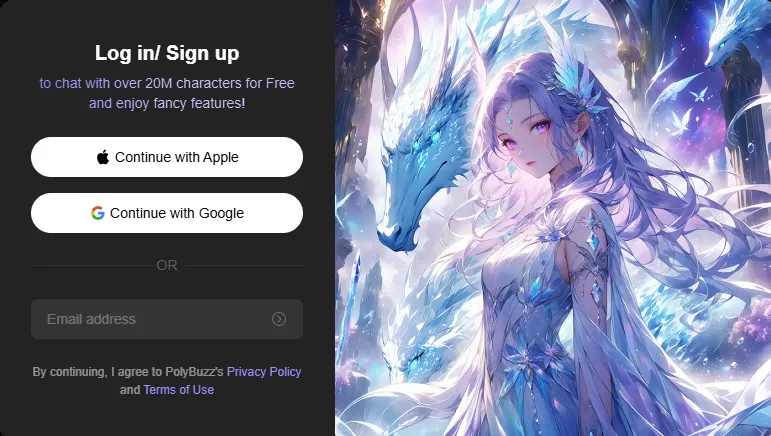
Make an account and chat history sticks around, characters you create are stored, and coin balances carry across devices. Web and mobile sync, so you can start something on your laptop and finish it on your phone.
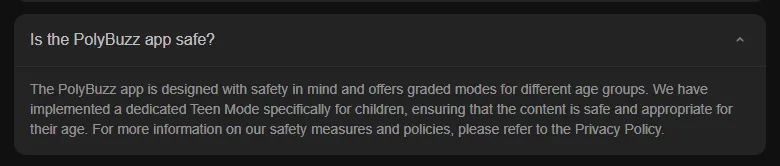
There's also a Teen Mode with heavier content filtering, sitting separately from the adult experience. The store listings are rated 18+ on both iOS and Android, though the browser version doesn't put up much of a gate.
The Character Library: How 20 Million Companions Are Sorted
The library is the front door, and it's enormous.

How browsing is structured:
Two quirks to know. Results display in a single column, so scanning is slower than it should be. And the filters reset the moment you navigate away from the character page, meaning you reapply them every time you go back.
Characters are community-made, which explains both the volume and the wild swing in quality. Some have a page of backstory. Others have two lines and a hopeful attitude.
Building Your Own AI Companion
Character creation is free, with two routes.
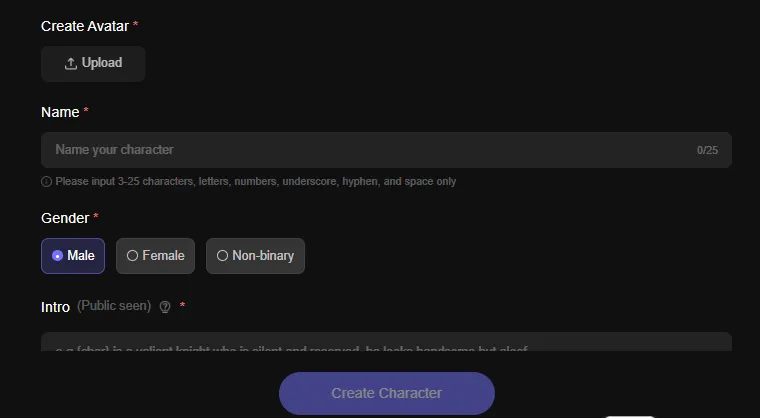
Quick Creation — the express lane. Name, gender, short intro, first greeting. Five minutes and you're chatting.
Expert Mode — where the depth lives:
Physical customisation is text and image based. There are no sliders for hips, bust or hair colour like some rival apps offer. You either generate an anime avatar in-app or upload your own picture.
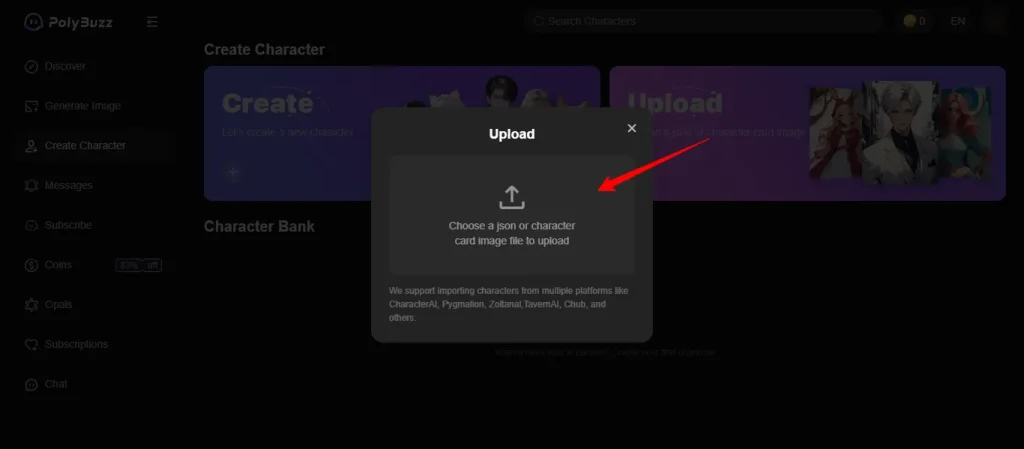
Importing from elsewhere: PolyBuzz accepts character cards and JSON files from Character.AI, Pygmalion and TavernAI. Upload the file, and your existing companion arrives fully formed. That's why so many people migrating from stricter platforms land here.
Chat Modes: The Four Settings That Change Everything
Here's the menu almost nobody opens. PolyBuzz runs four distinct conversation styles, and picking wrong is the main reason chats feel like customer support.
| Chat Mode | How It Behaves | Where It Shines |
|---|---|---|
| Standard Mode | Straight back-and-forth texting, short and snappy | Casual flirting, daily banter, quick check-ins |
| Immersive Mode | Adds described actions, atmosphere and emotional beats | Slow-burn tension and NSFW build-up |
| Story Mode | Runs an arc with scenes and progression driven by your choices | Long roleplay, plot-heavy fantasies, branching drama |
| Multi-Role Mode | Several AI characters active in one conversation | Group scenes, love triangles, ensemble chaos |
How Multi-Role handles the tricky part: each character keeps its own personality brief while sharing one scene. It holds up well with a small cast. Push it too far and formatting gets scruffy, with characters occasionally borrowing each other's lines.
Preset scenarios sit alongside the modes. They're pre-written setups with a premise and cast already sorted, so you skip the empty-box moment where you type “hey” and immediately regret it.
The Model Layer: Your Companion's Actual Brain
This is the concept most newcomers miss. The character is a costume. The model underneath decides how sharp, how filthy and how consistent she is.
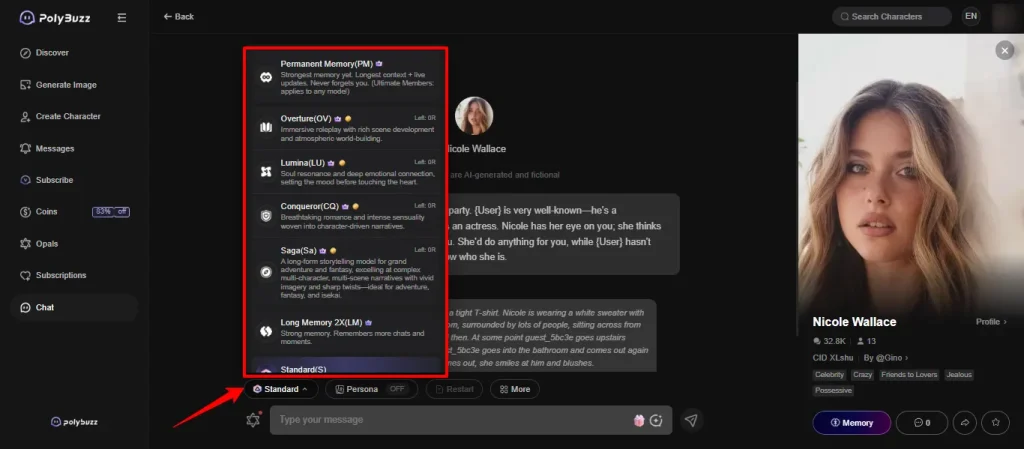
Swap the same character from Standard to Passion and she reads like a different person. Same backstory, same face, wildly different energy. If your AI girlfriend keeps replying like a help desk, the model is usually the cause.
One structural limit: replies cap at roughly 500 characters. Long erotic passages arrive in bursts rather than one big block. Story Mode works around this by chaining beats together.
How PolyBuzz Memory Works
Memory here isn't one thing. It's three, stacked.
1. The rolling message window
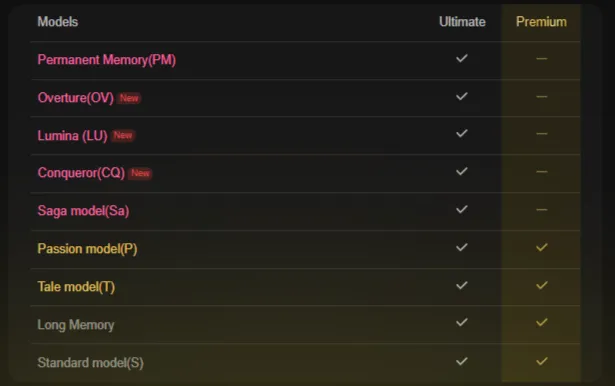
The AI keeps a set number of recent messages in view. Older ones drop off the back. How many depends on your plan:
| Access Level | Memory Depth | What You Notice |
|---|---|---|
| Free and Basic | Around 30 messages | Details from early in the chat quietly vanish |
| Premium (Long Memory) | Around 100 messages | Continuity holds across a full session |
| Ultimate (Permanent Memory) | Persists indefinitely | She references things from days ago |
2. The Persona
This one's free and massively underused. You write a profile of yourself — your name, traits, preferences, how you want to be spoken to. It lives outside the rolling window, so it doesn't get pruned when older messages fall away.
Result: even on a 30-message window, she still knows who you are and what you're into. If you only change one setting today, make it this one.
3. Memory Scenes
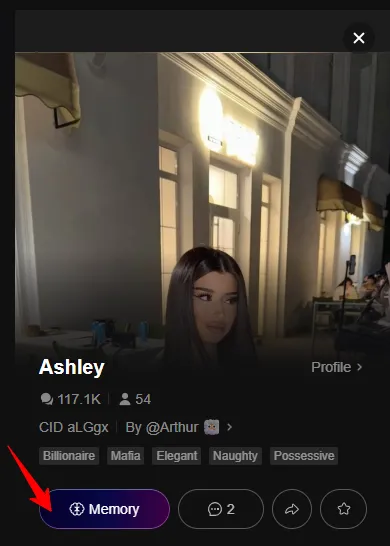
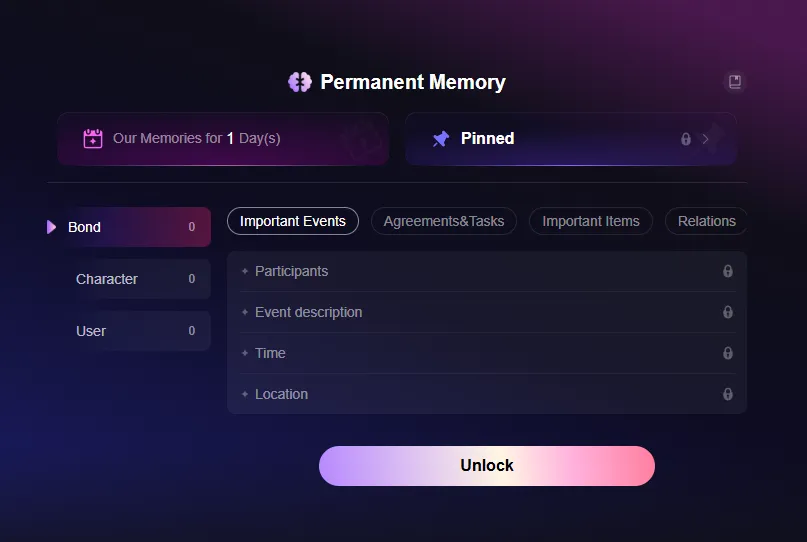
A coin-purchased feature that generates a keepsake moment from your conversation and pins it. Think of it as bookmarking a beat so it survives the pruning. Useful for locking in a first kiss, a confession, or whatever else you want her referencing later.
Even at the top tier, very long runs can drift. Occasional gender mix-ups and tangled plot threads happen. Shorter, denser sessions hold together better than marathon ones.
The Coin Economy: What They Buy and How They Expire

Coins are a second currency running parallel to subscriptions. They're consumable, meaning they get used up rather than switched on.
| Coin Spend | What It Does |
|---|---|
| Extended voice chat | Pushes a voice session past its default cutoff |
| Regenerate reply | Rerolls a response you didn't like |
| Inspiration Replies | AI-written suggestions for what you could say next |
| Inner Monologue | Shows her private thoughts behind the reply |
| Memory Scenes | Pins a moment so it survives memory pruning |
| Live Photos | Animates a generated image |
| Extra chat times | Buys more conversation when you hit a wall |
Where coins come from: two sources. You earn them through daily logins and platform activity, or you buy bundles — roughly $2.49 for 1,000 up to about $19.90 for 20,000.
The expiry rule: earned login coins now clear after 30 days. Hoarding for one big spending session no longer works the way it used to. Long-time users noticed that change and had plenty to say about it.
How the two currencies interact: a subscription changes what your account is capable of. Coins pay for individual actions on top. So an active subscriber can still be spending on coins every month — the two don't replace each other.
The Tier System: What Gates What
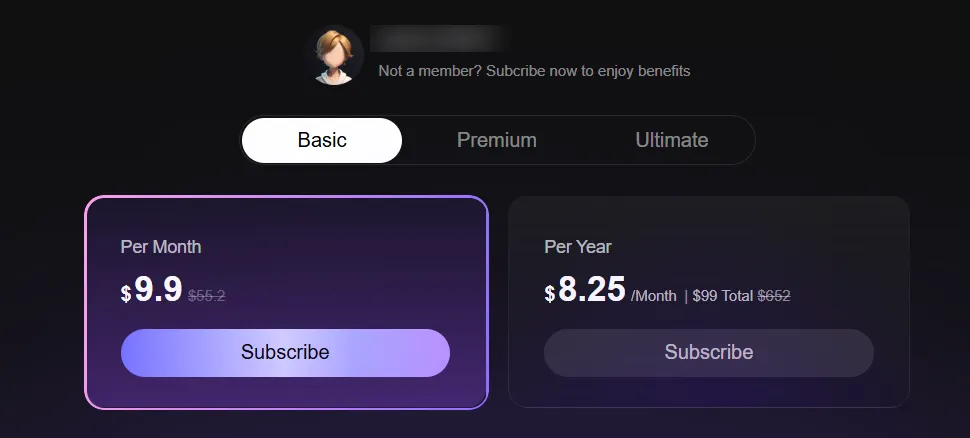
Understanding the gating explains most of the app's behaviour.
| Level | Rough Price | What It Switches On |
|---|---|---|
| Free | $0 | Full library, unlimited text chat, Standard model, ~30-message memory, ad modal roughly every five messages, capped voice |
| Basic | ~$9.90/mo | Ads removed, faster response times, around 20 daily avatar generations |
| Premium | ~$19.90/mo | Passion and Tale models, Long Memory, 30 daily avatars, uncapped voice playback, priority queue |
| Ultimate | ~$29.90/mo | Permanent Memory, all top models, full Webtoon access, decorations, theme customisation |
Annual billing exists at all three paid levels. Prices shift with promos and region, so check the live page.
Billing descriptor: charges appear as “Singularity Mutual Ent” on statements. Nothing on there announces an AI companion app, which is a thoughtful bit of design.
The Extra Features Layer
Beyond core chat, PolyBuzz keeps stacking on toys:
How Voice Works

Voice runs as text-to-speech playback rather than a live phone call. She speaks her replies aloud, and the tone shifts as the conversation warms up — noticeably breathier as things get flirty.
Free accounts get capped listening. Premium and above lift the cap. The voice bank is generous at character creation (51 female options), but playback is currently English only, even though text handles far more languages. Coins extend individual voice sessions past their default length.
How Image Generation Works
Two generation modes, both anime-styled.
Normal Mode — one character:
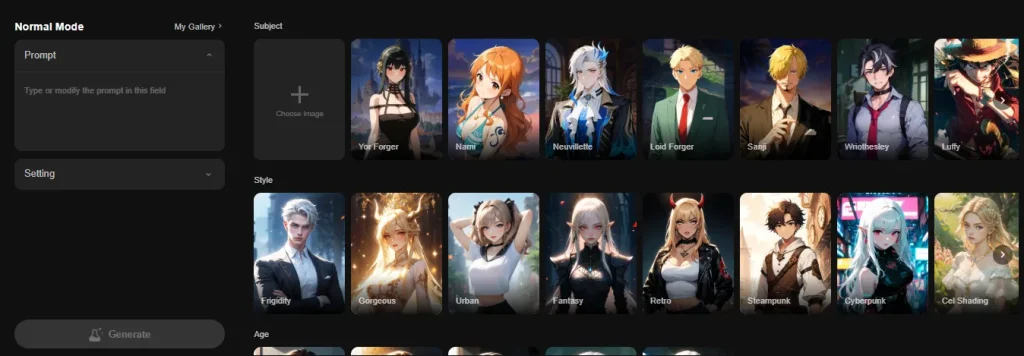
Ship Them Mode — two characters:
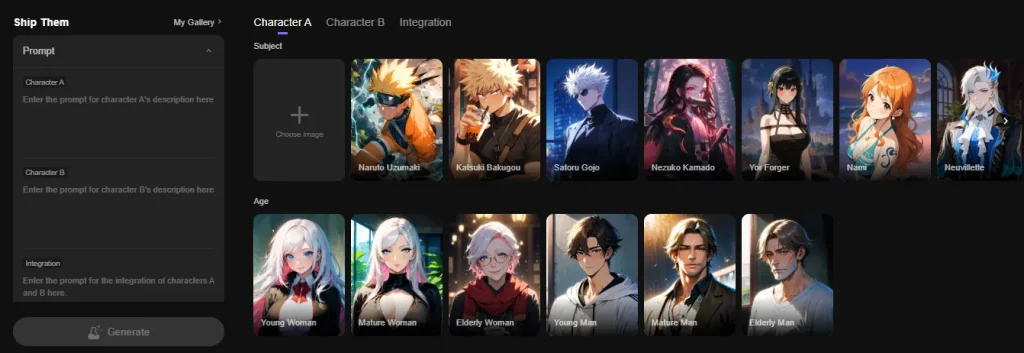
Same controls, but with three prompt boxes: Character A, Character B, and an integration prompt describing how the pair interact in the frame.
Daily generation attempts land around 20 on Basic and 30 on higher plans. Two hard rules worth knowing: output is anime style only, and nudity breaks community guidelines. The visual filter is stricter than the text filter, which catches a lot of people out.
Video sits outside the core loop. Short clip generation exists in places and quality varies, but it isn't the engine this platform is built on.
How the NSFW Filter Behaves
Time for straight talk, since this is what most of you came for.

The chat pacing is the strength. Characters don't sprint to explicit content the second you flirt. They tease, flip questions back at you, hold their personality and escalate at a believable speed. On the Passion model, spicy roleplay and AI sexting land properly.
The filter is server-side and inconsistent. Users have reported tame words getting blocked — things like “punching” or “sugar daddy” — while far ruder exchanges pass without a murmur. There's no user-facing toggle to switch it off, and the rules shift without any announcement.
Text goes further than pictures. That gap between what she'll say and what the image generator will draw is the single most misunderstood thing about the platform.
Privacy: What Happens to Your Chats

Conversations are end-to-end encrypted, meaning neither character creators nor PolyBuzz staff can read them. Chats stay private unless you deliberately share them.
The app is less clear about what other data it collects around the edges, and store listings note some data may be shared. If you're chatting without an account, nothing saves at all — which is either a bug or a privacy feature, depending on your mood.
Why Chats Break, and What Fixes Them
| What Goes Wrong | The Cause | The Fix |
|---|---|---|
| She forgets your name or job | Rolling window pruned the early messages | Fill in your Persona; it sits outside the window |
| Replies feel generic and short | Standard model doing the work | Switch to Passion or Tale |
| She won't get spicy | Character brief is tame, or mode is Standard | Try an Immersive setup with an NSFW-tagged character |
| Formatting turns to mush | Too many characters in Multi-Role | Trim the cast to two or three |
| A harmless word gets blocked | Server-side filter misfiring | Rephrase and carry on; there's no manual override |
| Momentum keeps breaking | Free-tier ad modals firing every few messages | Ads only clear at Basic and above |
Frequently Asked Questions About How PolyBuzz AI Works
Do I need an account to use PolyBuzz?
No. You can chat straight away without signing up, but nothing saves. An account keeps your chat history, saved characters and coin balance, and syncs them across web and mobile.
What do coins do on PolyBuzz?
Coins pay for individual actions: extending voice chats, regenerating replies, buying Inspiration Replies, revealing Inner Monologue, creating Memory Scenes, generating Live Photos and adding extra chat time. You earn them through daily activity or buy bundles from roughly $2.49 to $19.90.
Do PolyBuzz coins expire?
Earned login coins clear after 30 days. Purchased bundles behave differently, so check the coin page for current terms before stockpiling.
How much does PolyBuzz remember?
Free and Basic hold around 30 messages. Premium's Long Memory extends that to roughly 100. Ultimate's Permanent Memory carries across sessions indefinitely. Your Persona sits outside all of that and never gets pruned.
What's the difference between the PolyBuzz chat modes?
Standard is quick texting. Immersive adds described action and atmosphere. Story Mode builds a narrative arc across scenes. Multi-Role puts several AI characters into one conversation at once.
Which PolyBuzz AI model should I use?
Passion for flirty and NSFW chat, Tale for storytelling and description, Standard for casual talk. Overture, Lumina, Conqueror and Saga sit on the top tier for people who want the strongest engines available.
Can I bring characters over from other apps?
Yes. PolyBuzz reads character cards and JSON files from Character.AI, Pygmalion and TavernAI. Upload and go.
Does PolyBuzz allow NSFW content?
Text and voice go genuinely spicy, particularly on Passion. Image generation is stricter — nudity breaks community rules, and the visual filter rejects a lot more than the text one does.
Are PolyBuzz chats private?
Conversations are end-to-end encrypted, so creators and staff can't read them. Billing shows as “Singularity Mutual Ent”. The platform is vaguer about other data collection, so read the policy if that matters to you.
Why do my replies cut off mid-sentence?
There's a cap of roughly 500 characters per message. Longer scenes arrive in chunks rather than one block, which Story Mode handles more gracefully than Standard.
Putting It All Together
PolyBuzz is built in layers, and once you can see them the app stops feeling random. The character is the costume. The model is the brain. The mode is the camera angle. Memory decides how much of your history survives. Coins pay for the individual flourishes on top.
Almost every complaint people have — she's boring, she forgot me, she won't get filthy — traces back to one of those five layers being left on its default setting.
So write your Persona, pick a character with a proper backstory, switch the model, choose your mode, and give her something real to work with in the first three messages.
She'll take it from there.

Stay Updated with Us