7 Best AI Tools for Dating Profile Photos — What Works in 2026

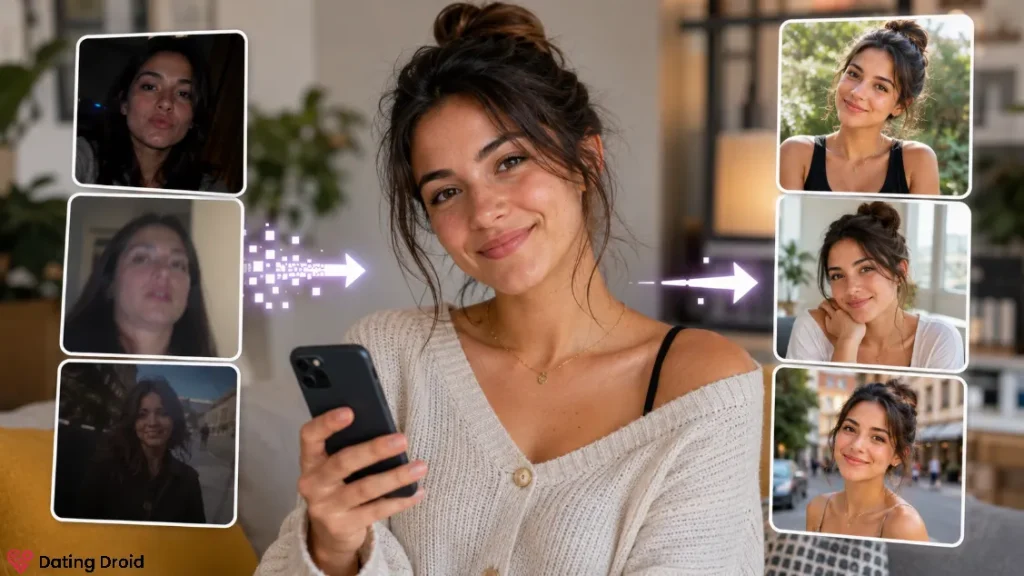
The best AI tools for dating profile photos fix lighting, sharpen blur, and clean up messy backgrounds — without changing your face.
If you want better dating photos fast, do this:
- Use an AI photo enhancer to fix lighting/sharpness (subtle).
- Use an AI background remover to clean up messy rooms (very subtle).
- Use an AI crop + framing tool so your face isn’t 14 pixels tall.
- Skip “generate a brand-new face” tools unless you want to get reported.
The goal is not “become a different person.” The goal is “stop losing matches because your photos look like they were taken on a microwave.”
⚙ What Are the 4 Types of AI Photo Tools for Dating Profiles?
People search “AI dating profile photo generator” and end up in the wrong product category. Here’s the map.
| Tool type | Best for dating profiles | What to watch | My take |
|---|---|---|---|
| AI photo enhancer | brighten, sharpen, reduce noise | over-smoothing skin, “plastic” look | Highest value, lowest risk |
| AI background remover / replacer | clean background, better contrast | fake-looking backgrounds, halos around hair | Great if you keep it realistic |
| AI “portrait/headshot” generator | professional-ish headshots from selfies | can subtly change your face; can be too polished | Use sparingly; keep it honest |
| Full image generator (“make me a person”) | creative avatars, not real-life dating | catfish vibes, mismatched identity | Not recommended for normal dating apps |
If you only use one category: enhancer + crop. That alone improves profiles a lot.
📈 How to Edit Dating Profile Photos With AI (Step-by-Step Workflow)
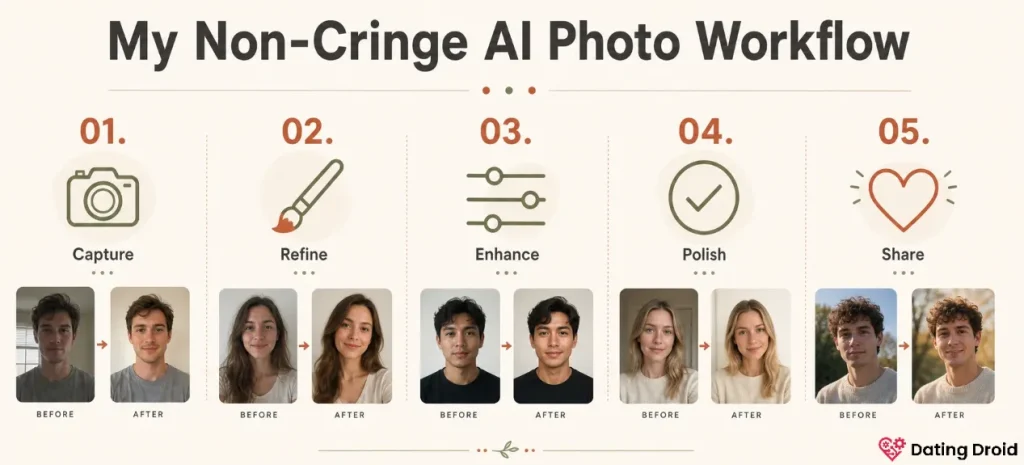
This is the workflow that gets you better photos without making you look like an AI influencer.
Step 1: Pick 4 real photos first
Yes, first. Before you touch AI.
Pick photos where:
Ideal mix:
Step 2: Enhance lightly (don’t “beautify” aggressively)
Enhance means:
It does not mean:
Pro tip: if the tool has a “before/after intensity” slider, keep it under 50%. If you’re thinking “wow I look like a different person”… you went too far.
Step 3: Fix the background like an adult
I’m not judging your apartment. I’m judging the clutter behind you stealing attention.
Good background edits:
Bad background edits:
Those scream “I’m insecure and also I have a subscription.”
Step 4: Crop and frame for each app
Hinge, Bumble, Tinder… they all crop differently.
Your main photo should be:
If you need a cheat rule: crop so your face is about 35–55% of the image height.
Step 5: Do a “reality check” test
Send your final set to one trusted friend and ask:
Do these look like me… or do they look like a slightly hotter cousin?If it’s the cousin, dial it back.
🔥 The Best AI Tools for Dating Profile Photos (My Shortlist for 2026)
I’m grouping this by use case, because the “best tool” depends on what’s wrong with your photos.
1) Best for Fixing Bad Lighting and Blur: AI Photo Enhancers
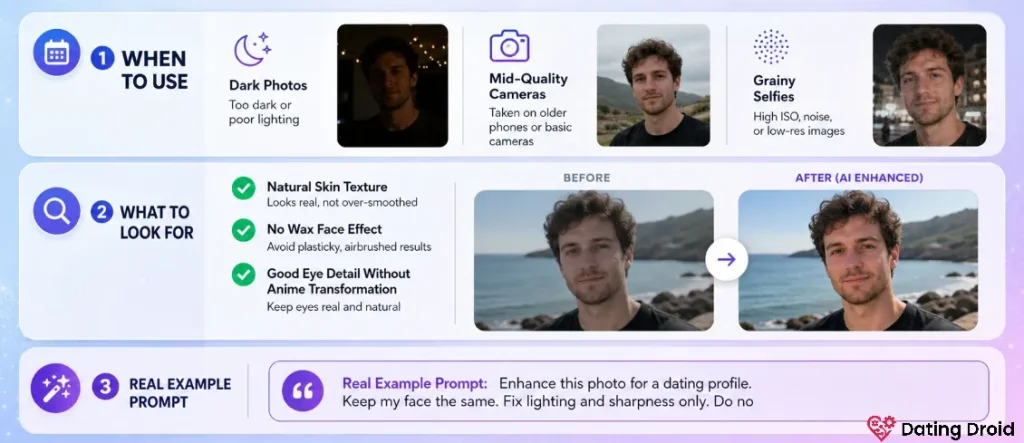
Use this when:
What to look for:
Real example prompt (if the tool supports prompts):
Enhance this photo for a dating profile. Keep my face the same. Fix lighting and sharpness only. Do not change facial features or body shape.If your tool doesn’t take prompts, just choose the least aggressive enhancement setting.
2) Best for Removing Messy Backgrounds: Background Removers + Blur
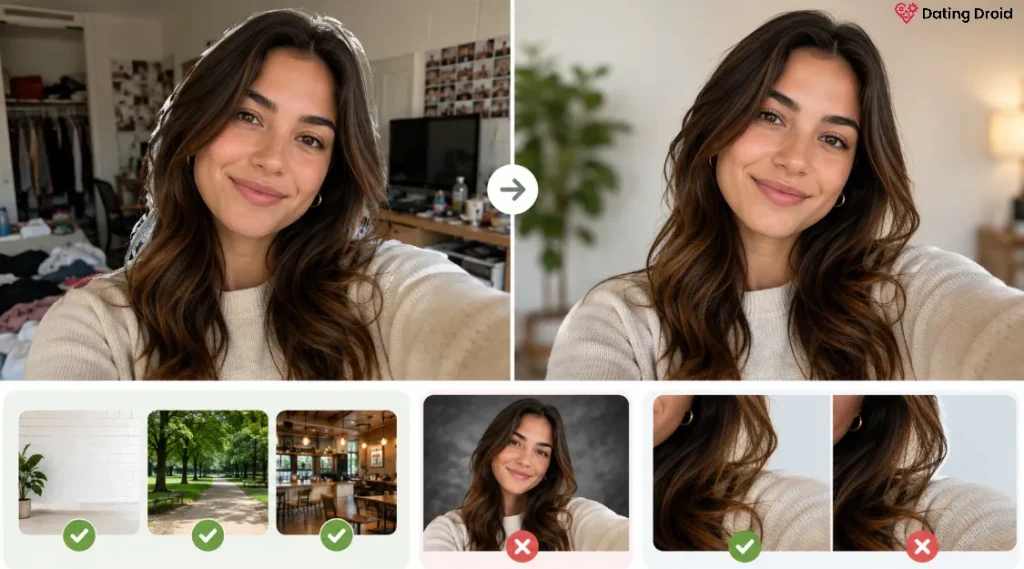
Use this when your photo is fine… but the background is chaos.
Best practices:
Quick rule: if your hair looks like it’s being erased by a ghost, don’t use that edit.
3) Best for “I Don’t Have Any Good Photos”: AI-Assisted Photo Selection + Guidance
Not every “AI tool” needs to generate images.
Some tools help you:
If you’re stuck, do this:
- Dump 20 photos into a private folder.
- Pick the 6 where your face is clearest.
- Run only those through enhancement + crop.
You don’t need a brand-new face. You need a better selection.
4) Best for One Clean Headshot: AI Portrait / Headshot Generators (Use Sparingly)
This can work if your profile needs one crisp photo and you don’t have one.
How to use it safely:
When it goes wrong:
If you use one of these, I recommend using only one headshot-style image in your profile, and keeping the rest as real photos.
5) Best for Men Who Only Have Group Photos: Smart Crop + Face-Centered Framing
If your profile starts with a group pic, you’re asking strangers to play “Where’s Waldo: Dating Edition.”
Use AI crop tools to:
But don’t cut your friend in half and leave their hand on your shoulder like a horror movie.
6) Best for Women Who Want Safer Photos: Subtle Edits + Privacy Controls
This is not about gender stereotypes. This is about reality: women get more creepy behavior, and photos can be used for reverse image search, fake profiles, or harassment.
Practical safety moves:
If you use AI tools, keep your final images natural so they don’t attract the “is this fake?” crowd.
7) Best “Low-Key Glow Up”: Color Correction + Consistent Vibe
This is the hidden win.
Many profiles look chaotic because every photo has different lighting and color. One is blue, one is orange, one is a dark cave.
Use an AI editor to:
That alone makes you look more put-together… without changing your face.
👀 Biggest Mistakes That Make People Swipe Left on AI-Edited Photos
Let’s roast the bad patterns quickly.
1) The “AI Model Face” problem
Over-processed face = instant distrust.
If your skin looks like it’s been laminated, people assume you’re hiding something. Even if you’re not.
2) Backgrounds that scream “I’m lying”
Private jet. Supercar. Random luxury apartment.

3) Using AI to replace your personality
Your photos should support your vibe, not invent it.
If you’re cozy and nerdy, don’t generate yourself as a nightclub billionaire.
4) Inconsistent identity across photos
If your first photo looks like a different person than the third photo, people bounce.
AI edits should make your photos more consistent, not less.
📷 Are AI-Edited Dating Photos Allowed on Tinder, Bumble, and Hinge?
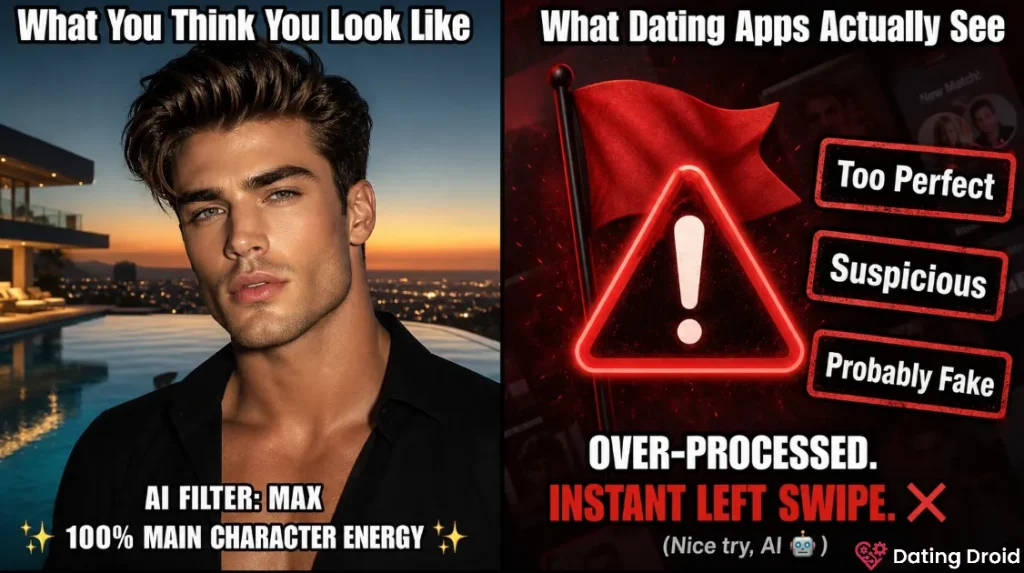
I’m not here to quote rules at you. I’m here to tell you what happens.
Tinder, Bumble, and Hinge do not prohibit AI-enhanced photos in their terms of service. What they ban is misrepresentation — photos that don't look like you in person.
If your photos look:
you’ll get:
Subtle AI enhancement on real photos (lighting, sharpness, background cleanup) is treated the same as normal photo editing. Fully generated faces, heavy face reshaping, or fake photosets are the real ban and report risk.
🛡 Safety + Privacy Notes (Read This, Seriously)
AI photo tools can be sketchy if you treat them like toys.
Safe Use Rules for AI Dating Photos
| Do | Why | Don’t | Why |
|---|---|---|---|
| Use subtle enhancement | You still look like you | Use face-swapping | Creates identity mismatch |
| Keep at least 3 real photos | Builds trust | Generate a full fake photoset | Catfish signal, report risk |
| Remove sensitive background details | Stops doxxing clues | Upload screenshots with address info | Data leakage |
| Use a separate “editing” folder | Control what’s shared | Auto-sync everything to cloud | More exposure surface |
| Read the tool’s privacy policy | Know retention/training risk | Assume “delete app = delete data” | Not true |
Also: don’t upload photos of other people without permission. Especially friends. Especially kids. That’s not a “dating hack.” That’s a weird move.
Not every AI photo tool deletes your data when you think it does — and that's just the start. Get the full breakdown in our privacy guide for AI companion apps.
Real Examples: “Bad vs Better” AI Photo Edits
Example 1: Low-light selfie
Bad edit:
Better edit:
Example 2: Messy room background
Bad edit:
Better edit:
Example 3: Group photo crop
Bad edit:
Better edit:
✅ Recommended Next Steps (Because Photos Aren’t Everything)
Better photos get you in the door. Better messages keep you there.
If you want the “full stack” dating upgrade:
Better photos open doors, but better tools keep the conversation going. Start with our curated list of the Best AI dating apps to level up every part of your profile game.
❓ FAQs
Are AI-generated dating profile photos considered catfishing?
If you generate a whole fake photoset or heavily change your face/body, yes, most people will consider it catfishing. If you’re doing light enhancement (lighting, sharpness, background cleanup) on real photos, that’s closer to normal editing.
Should I use an AI headshot generator for Tinder or Hinge?
You can, but use it sparingly. Pick outputs that still look like you, and keep most photos real. If your first photo looks “too perfect,” it can reduce trust.
What’s the safest way to use AI photo tools?
Use subtle edits, remove sensitive background details, avoid uploading other people’s photos, and read the tool’s privacy policy so you understand how uploads are stored or retained.
Will AI-edited photos get me banned from dating apps?
It depends on the app and how extreme the edits are. Extreme, obviously fake, or stolen images are the real ban risk. Subtle enhancement on real photos is usually treated like normal editing—but keep it honest.
What if I don’t have any good photos at all?
Take 20 quick photos in good light (window light works), pick 6 where your face is clear, then use enhancement + crop. One decent new photo beats five heavily edited old ones.

Stay Updated with Us
🎯 Final Verdict
The best AI tools for dating profile photos are the ones that make you look like you, with better lighting and better framing.
Start with enhancement + crop. Keep edits subtle. Keep most photos real.
If your profile looks honest and clear, you’ll get more matches—and you won’t have that nagging “what if they think I’m fake?” anxiety every time you open the app.