Kupid AI Review 2026: Great Voice, But Is It Worth It?


Every AI girlfriend app promises “the most realistic companion you’ll ever chat with.” Most of them mean it the way a supplement bottle means “clinically proven.” Kupid AI is different in one specific, testable way: the voice messages.
They’re not generic text-to-speech bolted onto a chatbot. You pick a voice during character creation, and that voice sticks with your companion for every audio message she sends you afterward.
That’s the hook that gets people through the door. What happens after the door closes is a more complicated story, and that’s what this Kupid AI review is actually about.
I spent time inside Kupid.ai building companions from scratch (both realistic and anime), testing the voice options, pushing the roleplay into different personality types, generating images through the standalone image tool, and paying close attention to the one thing most reviews gloss over: how the memory system actually behaves once you leave the free tier behind. Here’s everything I found, including the parts Kupid’s own marketing doesn’t lead with.
📌 Quick Verdict
Is Kupid AI worth it? Yes, especially if you want voice-driven roleplay and are comfortable choosing a paid plan for longer memory.
The character creator is genuinely deep, the voice selection is a real differentiator, and the realistic-vs-anime split covers both major AI girlfriend crowds.
Where it stumbles is the free experience: 15 total messages are not enough to properly judge the platform. Memory improves from the last 30 messages on Free to 100 on Pro, while Ultra advertises unlimited memory.
Best for voice-first AI dating and roleplay depth.
| At a Glance | Details |
|---|---|
| Best for | Voice messages, character depth, realistic + anime AI girlfriends/boyfriends |
| Not ideal for | Not ideal for users who want extended memory without paying for the Ultra plan. |
| Starting price | Free tier (15 messages), Pro from $12.99/week, Ultra from $24.99/week (promo) |
| Company | SNB Technologies LTD, registered in Cyprus |
| Platform | Web app, installable as a PWA (progressive web app) |
| Content | 18+ adult platform, 2257-compliant, DMCA policy in place |
❤ What Is Kupid AI?
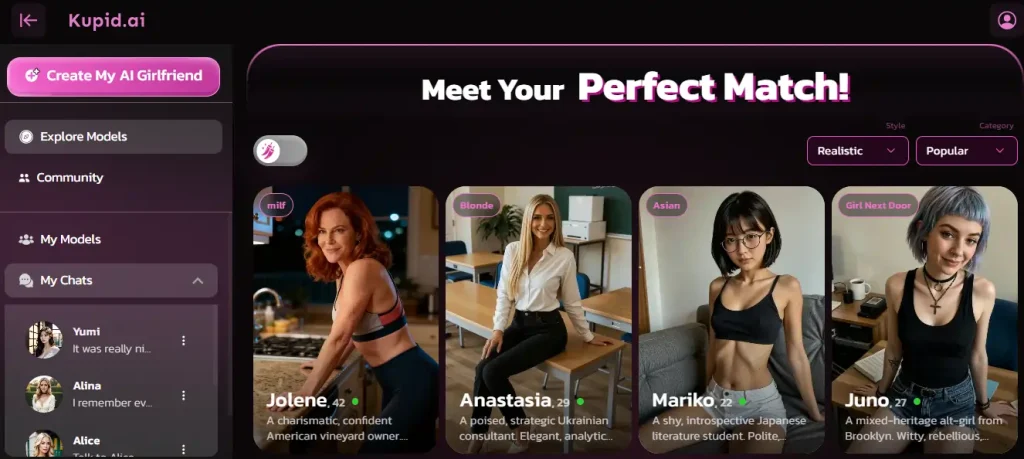
Kupid AI is an adult AI companion platform where you build and chat with a custom AI girlfriend or AI boyfriend, choosing between realistic or anime art styles, and unlocking voice messages, photos, and (on paper) video as you move up the pricing tiers.
It’s run by SNB Technologies LTD, a company registered in Cyprus, and it’s explicitly an 18+ platform with a 2257 compliance page and a DMCA policy, which tells you it’s built to operate as a legitimate adult content business rather than a gray-market chatbot.
You can install it as a Progressive Web App, meaning it behaves like a native app on your phone without needing an App Store listing, a detail that matters if you’d rather not have “AI girlfriend app” sitting in your app drawer for anyone to see.
At its core, Kupid AI is trying to answer one question: what if the AI girlfriend experience felt less like texting a chatbot and more like actually talking to someone? The voice-first design is the clearest evidence of that ambition.
👍Pros & 👎Cons

What Kupid AI Gets Right

Where It Falls Short
👀 Who Is Kupid AI For?
Kupid AI makes the most sense for people who care about how their companion sounds, not just what she says. If you’ve tried other AI girlfriend apps and found the voice features to be an afterthought — generic robotic TTS slapped on top of a text response — Kupid’s approach of choosing a voice during character creation and having it carry through every audio message is a meaningfully different experience.
It’s also a solid fit if you want deep control over your companion’s identity from day one. The character creator doesn’t just ask “pick a personality,” it asks about job, relationship framing, interests, and appearance down to skin tone and body type. If you know exactly what you want, Kupid gives you the dials to build it.
Who should probably look elsewhere: Users who want longer continuity should pay close attention to the plan limits. Free remembers the last 30 messages, Pro increases this to 100, and Ultra advertises unlimited memory. The main drawback is that the strongest memory option requires the highest-priced tier.
🔥 Character Library: Official Models vs. Community Creations
Kupid AI splits its roster into two pools, and understanding the difference matters if you’re trying to decide whether to browse or build.
Official Characters
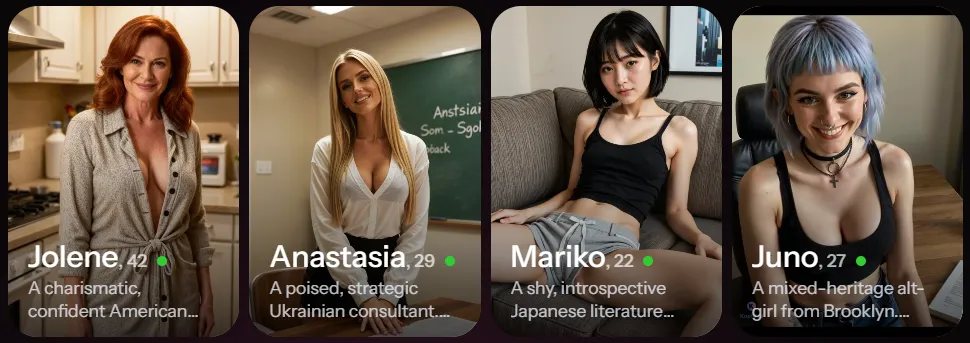
These are the pre-made companions built by the Kupid team, and they’re tagged “Official” in the browse view. What sets them apart visually is that each one ships with an animated video preview on their profile card, so before you even click into a chat, you get a sense of movement and personality rather than a static photo.
Community/User-Created Bots
Beyond the official roster, Kupid pulls in a wider pool of community-created characters. This is a common pattern across the AI companion space (Nectar AI and GirlfriendGPT both lean on community libraries too), and it means the total character count is larger and more varied than what any single design team could produce alone.
The trade-off, as with most community-driven libraries, is inconsistent quality: some community characters are as polished as the official ones, others clearly weren’t built with as much care.
Browse Filters
You can narrow the library by:

There are also dedicated landing sections for AI Girlfriend, AI Boyfriend, and AI Anime, which makes sense given how differently those three audiences typically browse.
🎨 The Character Creator: Building Your AI Girlfriend or Boyfriend
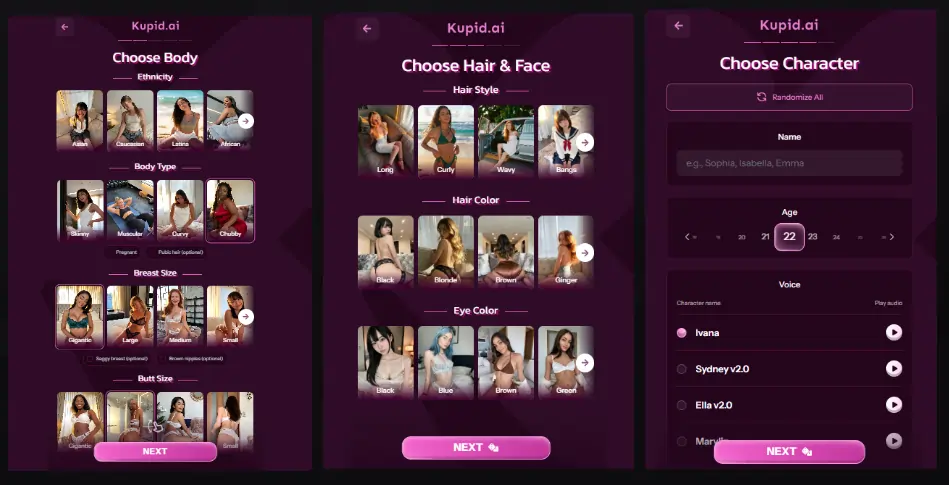
This is genuinely one of Kupid AI’s strongest features, and it’s structured as a 4-step wizard that’s free to start.
Step 1: Style
You choose Realistic or Anime first, and this decision branches you into a completely separate asset library. That’s worth flagging because some competing platforms treat “anime mode” as a cosmetic filter over the same underlying models. Kupid keeps the libraries distinct, which shows up in how coherent the final character looks.
Step 2: Appearance
Hair style, hair color, eye color, body type, skin tone. There’s a dice/randomize button if you’d rather roll the dice than dial in every detail yourself, which is a nice touch for people who want a quick start.
Step 3: Name & Age
Free-text name entry, and age must be set to 18+.
Step 4: Voice
This is the differentiator. You pick from multiple named voices — Ivana, Sydney, Ella, Marylin, and others — each with an audio preview you can listen to before committing. Whatever you choose here becomes the voice she uses in every voice message going forward, not a generic default.
Personality, Job, Relationship, and Interests
After the core 4-step flow, you dig into the details that actually shape how she talks to you:
| Category | Options |
|---|---|
| Personality archetypes | Dominant, Submissive, Playful, Mysterious, Sweet, Passionate, plus a custom free-text field |
| Job | Long searchable list — doctor, teacher, artist, model, gamer, nurse, fashion influencer, and more |
| Relationship to you | Girlfriend, friend, crush, ex, neighbor, roommate, colleague |
| Interests | Range from vanilla to explicit, with a randomize option |
Everything here is editable later from her profile page, and you’re not limited to one companion. You can build multiple, each with their own personality, voice, and backstory, which is useful if you want variety without starting from zero every time.
Pro Tip: If you’re not sure what personality archetype will translate into the best conversation quality, start with Playful or Sweet. Both tend to produce more naturally flowing dialogue in early sessions than Dominant or Mysterious, which can occasionally read as slightly stilted until the AI has more context to work with.
🆚 Realistic vs. Anime: Which Should You Pick?
This split matters more than it sounds, because it determines the entire aesthetic and, to some extent, the tone of your companion.

Realistic style leans into photo-style rendering, and it’s the better choice if immersion and “this looks like a real person” is your priority.
It’s also the more competitive category across the entire AI girlfriend market, so Kupid’s realistic models get compared directly against heavy hitters like Candy AI’s V2 engine and OurDream AI’s studio-grade output.
Anime style taps into a completely separate asset library, meaning the exaggerated expressions, stylized proportions, and 2D-inspired look aren’t a filter, they’re a different rendering pipeline.
If you’ve got a specific anime “type” in mind, this is where Kupid can actually deliver it convincingly rather than producing an uncanny hybrid.
Neither style is objectively “better” — it depends entirely on what you’re after, which is exactly why Kupid splits them at the very first step of character creation instead of treating it as a minor toggle.
💬 The Chat Experience: Roleplay, Memory, and What Actually Happens
Text chat on Kupid AI is built around flirty, romantic, and NSFW roleplay. “Hot actions” become available soon after signing up, giving the onboarding a more direct adult angle than platforms that place explicit interactions behind additional steps.
The conversation holds up reasonably well within an active session. Personality choices made during character creation affect how the companion responds—a Dominant character tends to steer the exchange, while a Sweet character feels more affectionate and reactive.
That consistency matters because some AI companion apps offer personality settings that barely influence the conversation after the opening messages.
Memory: The Detail You Should Check Before Paying
Kupid calls its memory feature “She Remembers.” The amount of conversation context retained depends on your plan:
Thirty messages can disappear quickly during an engaged conversation, making the Free plan better suited to testing the platform than building a continuous relationship. Pro gives the companion more context to work with, while Ultra is the only tier advertising unlimited memory.
That makes plan selection especially important. Free and Pro still use fixed memory windows, while Ultra advertises no fixed memory-message limit.. Users comparing Kupid with platforms such as Swipey AI or Nectar AI should therefore compare the specific subscription tiers rather than treating Kupid’s memory as one platform-wide limit.
Within its stated window, the memory feature works as expected. The main drawback is that stronger continuity sits behind the paid plans, particularly Ultra for users who do not want a fixed message window.
Honest take: Kupid’s memory is not weak across every plan. Free is restrictive, Pro is more practical, and Ultra advertises the strongest option. The real question is how much you are willing to pay for longer and more consistent conversations.
Voice Messages
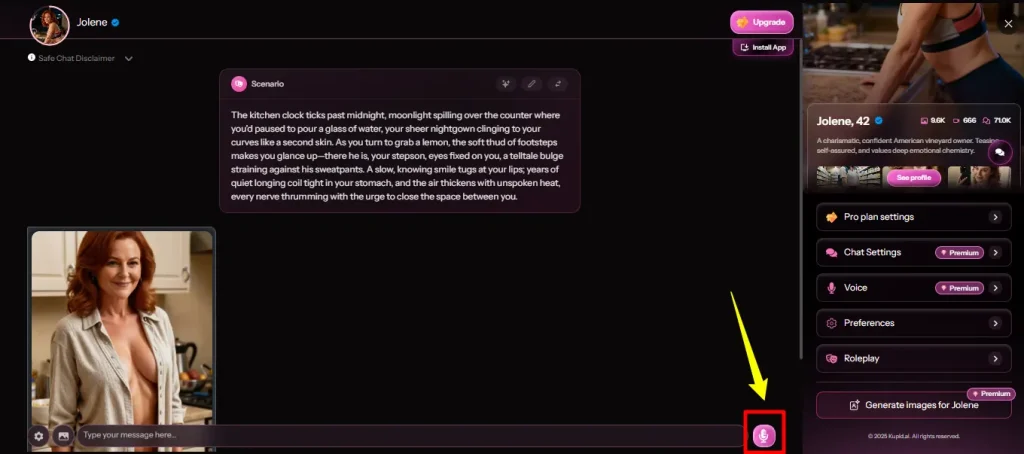
This is where Kupid’s voice-message feature stands out. Because the voice is selected during character creation rather than applied as a blanket text-to-speech layer, her audio messages sound consistent with the character you built rather than generic. Pro users get 12 minutes per week of voice; Ultra users get 35 minutes.
Photos and Selfies
You can request a picture mid-chat, and it generates on demand rather than pulling from a static library. Pro gets 25 photos a week, Ultra gets 75.
Video Messages
This is the one feature with a genuine question mark hanging over it. Some affiliate reviews of Kupid AI have disagreed on whether video messages actually exist as a working feature.
But Kupid’s own pricing table lists Videos as a metered line item (8/week on Pro, 25/week on Ultra), which strongly suggests it’s a real, if less heavily promoted, feature.
My take: treat video as present but secondary — it’s not the reason to choose Kupid AI, voice is.
🖼 Standalone AI Image Generator
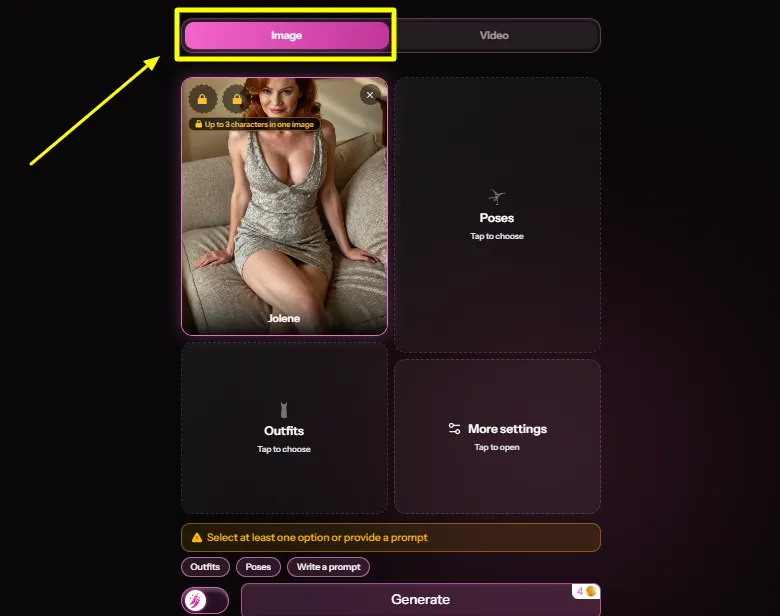
Separate from the in-chat photo requests, Kupid AI has a dedicated image generation tool at /generate-image. This runs on a coin/credit system, with generations costing roughly 2 coins each based on what’s shown in the interface.
A few notable features here:
This is a genuinely useful addition for users who want to generate images without spending tokens or messages inside an active chat session, and it’s a feature type that’s becoming table stakes across the category (OurDream AI and Nectar AI both offer similar standalone generators).
📲 Reels: The Feature We Couldn’t Fully Verify
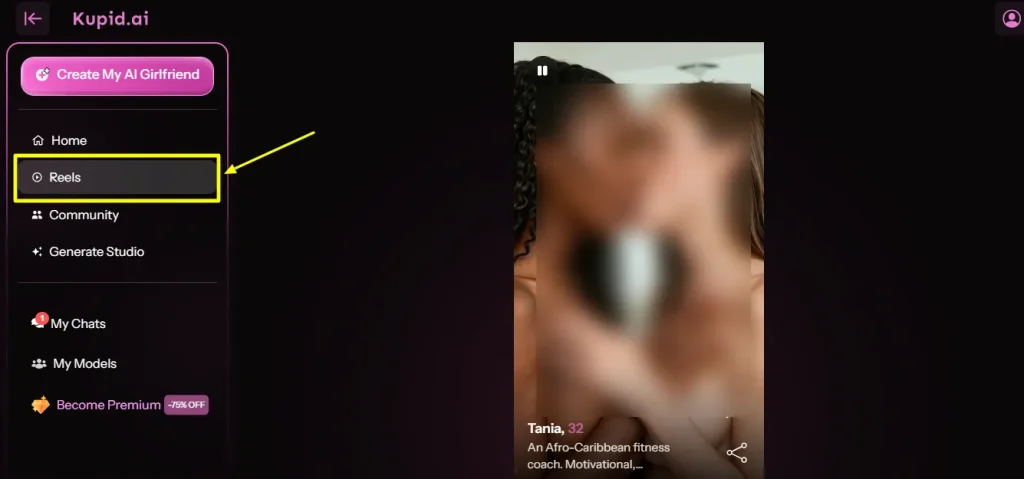
Kupid AI has a Reels section in its main navigation, which appears to function as a short-form, swipeable media feed, similar in concept to what Candy AI launched with its Shorts feature.
Here’s the honest limitation in reporting on this: the Reels page actively blocks automated access, which means neither this review nor several others we checked could fully confirm the exact mechanics beyond “it’s a reels-style feed that exists.”
If short-form vertical video discovery is a feature you specifically want, go in expecting to test it yourself rather than relying on marketing copy, ours included.
💰 Kupid AI Pricing: Free vs. Pro vs. Ultra
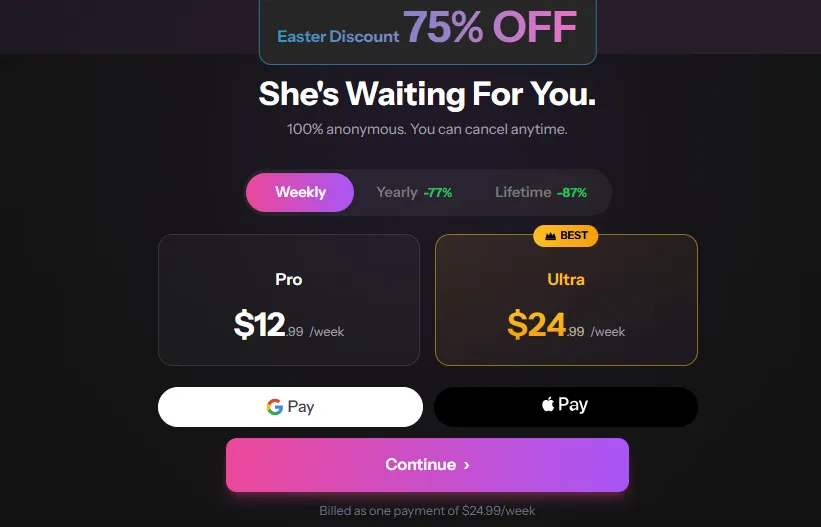
Kupid runs three tiers — Free, Pro, and Ultra — billed either weekly, yearly (marketed at 77% off), or as a lifetime purchase (marketed at 87% off).
The promotional pricing shown at signup was Pro at $12.99 and Ultra at $24.99, though these figures are promo rates and the standard price is higher; expect the number you see at checkout to shift depending on current promotions and billing cycle.
| Feature | Free | Pro | Ultra |
|---|---|---|---|
| Messages | 15 total | Unlimited* | Unlimited* |
| Photos | — | 25/week | 75/week |
| Videos | — | 8/week | 25/week |
| Voice messages | — | 12 min/week | 35 min/week |
| Memory (“She Remembers”) | Last 30 messages | Last 100 messages | Unlimited* |
| Response speed | Standard | Fast | Fastest |
| Queue priority | Standard | High | Highest |
| Support | — | Fast | Fastest |
“Unlimited” messaging is the paid signup hook, but remember: Unlimited messaging and memory are separate features. Free remembers the last 30 messages, Pro remembers 100, and Ultra advertises unlimited memory.
🆚 Weekly vs. Yearly vs. Lifetime
Kupid structures billing around three commitment lengths:
Crypto Payments and Anonymous Billing
Kupid AI accepts crypto payments and markets its billing as anonymous and discreet, with cancel-anytime terms.
This is standard practice for the category at this point (Candy AI, OurDream AI, and most serious competitors offer the same), but it’s still worth confirming before you subscribe if discretion is a priority for you.
🤔 Ease of Use and Mobile Experience
Kupid AI is installable as a PWA, which means you get an app-like icon and experience on your phone’s home screen without it appearing in the App Store or Play Store purchase history.
That’s a meaningful privacy detail for anyone who shares a phone or just doesn’t want an AI girlfriend app icon sitting next to their banking app.
The character creator’s step-by-step wizard format keeps onboarding relatively simple even with the amount of customization on offer — you’re never staring at a single overwhelming form, which is a real usability advantage compared to platforms like Nectar AI, where the 300+ customization options are powerful but presented in a way that can overwhelm first-time users.
🔏 Kupid AI Privacy

Kupid AI operates as a properly registered adult platform (SNB Technologies LTD, Cyprus) with a public 2257 compliance page and DMCA policy, both of which are baseline trust signals for an adult AI platform — plenty of smaller competitors skip this kind of documentation entirely.
Combined with anonymous/discreet billing and crypto payment support, Kupid checks the boxes that privacy-conscious users should be looking for.
As with every AI companion platform, the standard caution applies: avoid sharing identifying personal details (full name, address, workplace) inside chat sessions regardless of what privacy policy is in place. No cloud-based chat platform can fully guarantee zero risk of a data exposure down the line.
⚡ Who Should Use Kupid AI (And Who Shouldn’t)
Kupid AI makes sense if:
Kupid AI is probably not for you if:
🔥 Kupid AI Alternatives
Kupid AI isn’t the only option built around AI dating, companionship, and roleplay. Here’s how it stacks up against three specific alternatives worth knowing about.
| Platform | Standout Strength | Best For |
|---|---|---|
| Kupid AI | Voice-tied-to-character audio messages, deep creator wizard | Users who want voice-first roleplay with heavy customization |
| OurDream AI | 7M+ community characters, dedicated image/video studio, 100+ message memory in group chats | Users who want maximum content volume and creative control |
| Nectar AI | 300+ customization points, strong memory retention (80-100 messages per session), fast image generation | Users who want deep personality-building and consistent long-session memory |
| GirlfriendGPT | Massive community character library, strong roleplay and scenario variety | Users who want to browse thousands of pre-built scenarios rather than build from scratch |
OurDream AI: Best for Content Volume and Studio-Grade Media
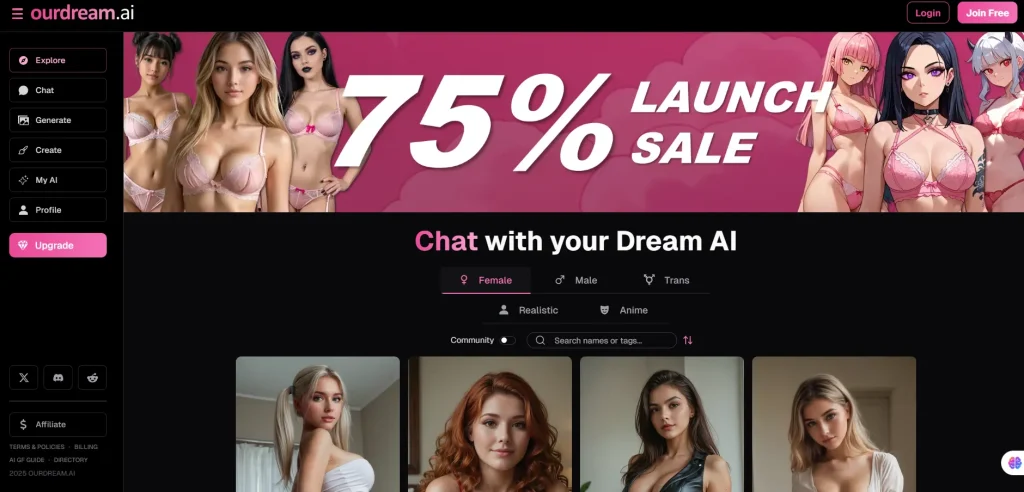
OurDream AI runs on a similar freemium-plus-premium model but leans harder into media generation, with a dedicated image studio offering pose control and a video creator with presets, image-to-video, and talking video modes.
OurDream offers 100+ message memory in certain experiences, while Kupid ranges from 30 messages on Free to advertised unlimited memory on Ultra. The better value depends on the plan and features you use.
Nectar AI: Best for Deep Personality Building
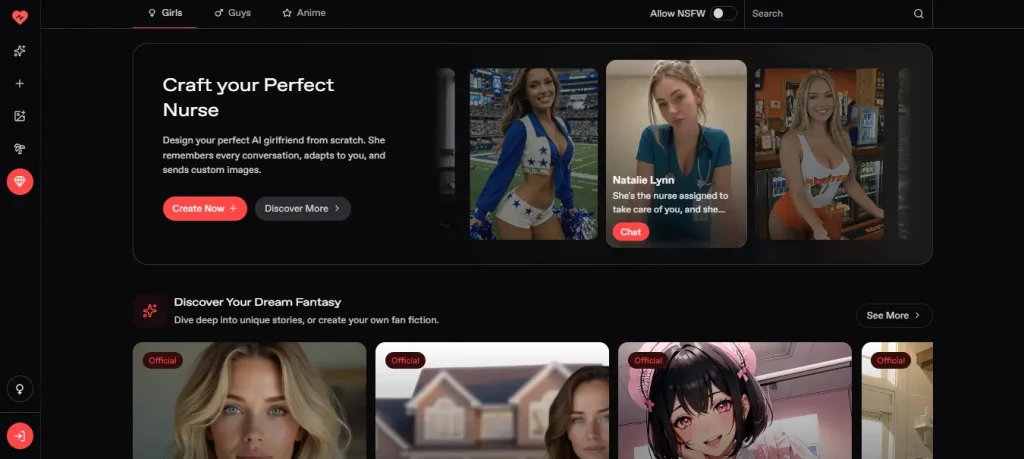
Nectar AI’s character creator goes even further than Kupid’s, with over 300 customization points spanning appearance, backstory, and communication style.
It performed consistently across 80-to-100-message sessions. Kupid offers a 100-message window on Pro and advertises unlimited memory on Ultra, so Nectar’s advantage is less clear and depends on pricing and long-session consistency.
GirlfriendGPT: Best for Browsing, Not Building
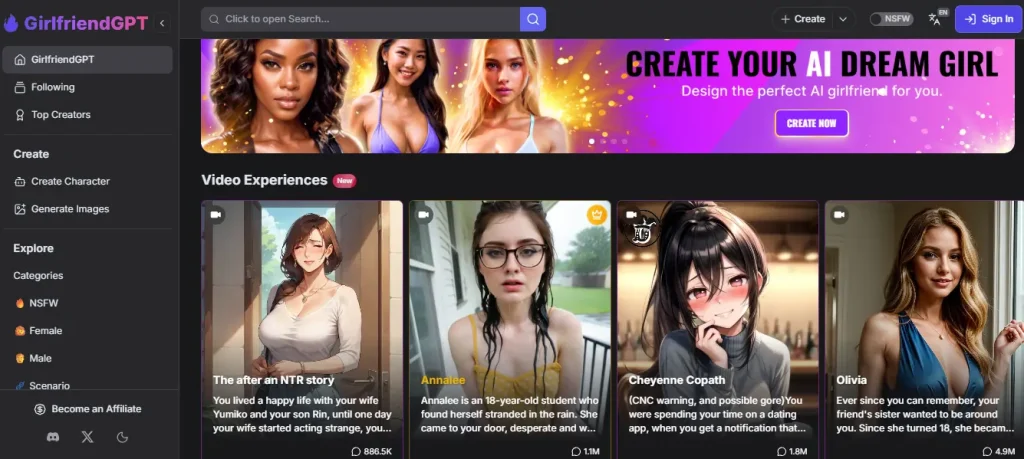
GirlfriendGPT takes a community-first approach, with a large library of user-created characters and scenarios you can filter and browse rather than construct from scratch. Its chat and roleplay depth are strong, but visual customization is limited by comparison, and image consistency across generations can vary. If you’d rather scroll through thousands of ready-made personas than spend time in a character builder, GirlfriendGPT’s approach fits better than Kupid’s build-first model.
🎯 Kupid AI FAQs
Is Kupid AI free to use?
There’s a free tier, but it’s capped at 15 total messages, which is really only enough to test the interface, not to evaluate whether you like the chat quality. Meaningful use requires a Pro or Ultra subscription.
How much does Kupid AI cost?
Promotional pricing shown at signup listed Pro at $12.99 and Ultra at $24.99, though standard (non-promo) pricing runs higher, and the exact rate depends on whether you choose weekly, yearly (marketed at 77% off), or lifetime (marketed at 87% off) billing.
Does Kupid AI remember previous conversations?
Yes. The Free plan remembers the last 30 messages, Pro remembers the last 100 messages, and Ultra advertises unlimited memory. Check the conditions attached to the Unlimited label before subscribing.
Can I create my own AI girlfriend or boyfriend on Kupid AI?
Yes. The character creator is a free-to-start 4-step wizard covering style (realistic or anime), appearance, name/age, and voice, followed by personality, job, relationship type, and interests. You can create multiple companions and edit them later.
What voices are available on Kupid AI?
Named voice options include Ivana, Sydney, Ella, Marylin, and others, each with an audio preview during character creation. Your selected voice is used for all of that character’s voice messages going forward.
Does Kupid AI have video messages?
It’s listed as a metered feature on the pricing table (8 videos/week on Pro, 25/week on Ultra), but independent reviews have disagreed on how consistently the feature actually works in practice. Treat it as present but secondary to voice and photo features.
Is Kupid AI’s billing discreet?
Yes. Billing is marketed as anonymous/discreet, and crypto payments are accepted, in addition to standard payment methods.
Can I cancel my Kupid AI subscription anytime?
Yes, cancellation is marketed as available at any time, without lock-in contracts.
Is Kupid AI safe and legitimate?
Kupid AI is operated by SNB Technologies LTD, registered in Cyprus, with a published 2257 compliance page and DMCA policy — both standard trust signals for a legitimate adult AI platform. As always, avoid sharing identifying personal information in chat.
What’s the difference between realistic and anime style on Kupid AI?
They’re built on completely separate asset libraries rather than one style being a filtered version of the other, so both styles have their own distinct look and feel from the ground up.
Does Kupid AI work on mobile?
Yes, it’s installable as a Progressive Web App (PWA), giving you an app-like experience on your phone’s home screen without needing an App Store listing.
How is Kupid AI different from Candy AI or OurDream AI?
Kupid’s main differentiator is voice: the audio messages are tied to a specific voice you pick during character creation, rather than generic text-to-speech. Candy AI and OurDream AI lean harder into image and video generation, while Kupid’s memory ranges from 30 messages on Free to advertised unlimited memory on Ultra.
Is the Kupid AI character creator actually free?
Yes, the 4-step wizard is free to start and use to build a character. What’s gated behind paid tiers is the ongoing chat volume, memory retention, photos, videos, and voice minutes once you’re actually using that character.
What happens to my companion’s memory when I hit the message cap?
On Free, context older than the latest 30 messages can fall outside active memory. Pro increases the window to 100 messages, while Ultra advertises unlimited memory.
⭐ Final Verdict: Is Kupid AI Worth It?
Kupid AI does one thing better than most of its competitors: it makes voice feel like a real part of the character you built, not a bolted-on gimmick. If you’ve tried other AI girlfriend or AI boyfriend apps and walked away unimpressed by robotic voice messages, that alone is a legitimate reason to give Kupid a look.
The character creator backs that up with genuine depth — six personality archetypes, a searchable job list, relationship framing, and separate realistic and anime asset libraries that actually feel distinct from each other. This isn’t a platform that phoned in its customization options.
Memory depends heavily on the plan. Free remembers the last 30 messages, Pro increases the window to 100, and Ultra advertises unlimited memory. The main drawback is therefore not a platform-wide memory cap, but that the strongest memory option sits behind the highest subscription tier.
Combine that with a free tier that’s really just a demo (15 messages total) and a Reels feature that’s genuinely hard to evaluate from the outside, and Kupid AI comes across as a platform with one standout strength and a couple of clear rough edges.
Bottom line: if voice-driven roleplay and deep character building are what you’re chasing, Kupid AI delivers on both fronts convincingly. If long-term memory matters, compare the price and conditions attached to Kupid Ultra’s advertised unlimited memory with competing platforms before choosing a yearly or lifetime plan.

Stay Updated with Us