
How to Delete AdultFriendFinder Account (and Stop Billing)

Deleting your AdultFriendFinder profile does not stop the billing. AFF memberships renew automatically until you switch renewal off yourself, and the terms say unused time is never refunded.
So there are really four jobs here: stop the payments, remove the profile, get your data erased, and check that the charges have stopped. Do them in this order and the whole thing takes one sitting.
✅ Delete AdultFriendFinder Account in 4 Steps

The order matters. Remove the profile first and you may lose the login you need to reach the billing page, which is the only place the terms say you can stop the payments.
🗑 Cancel, delete or erase: what each one actually does
Cancelling stops the payments. Deleting takes your profile off the site. Only an erasure request asks the company to wipe what it has stored. If you want to be properly gone, you need all three.
| Action | Where you do it | What it does | What it doesn't do |
|---|---|---|---|
| Turn off auto-renewal | My Account → Billing History & Credit Card Info | Stops future recurring charges | Doesn't remove your profile. Doesn't refund unused days |
| Remove your profile | My Account → My Profile → Cancel My Membership | Takes your profile off AFF permanently | Not a confirmed way to stop billing. Not a promise that your data is wiped |
| Request data erasure | Customer service, in writing | Asks FriendFinder to delete the personal data it holds on you | Not instant. How far it goes depends on where you live |
The confusing bit is the wording. AFF's profile-removal link is called Cancel My Membership, but the terms say recurring charges are stopped from the Billing History page. So treat them as two separate jobs and do the billing one first.
Turn off auto-renewal first
Auto-renewal is switched off on the Billing History & Credit Card Info page, not on your profile. Until you flip it, AFF can keep charging the card on file.
The terms say it can bill “without additional authorization from you until you have terminated this authorization”.
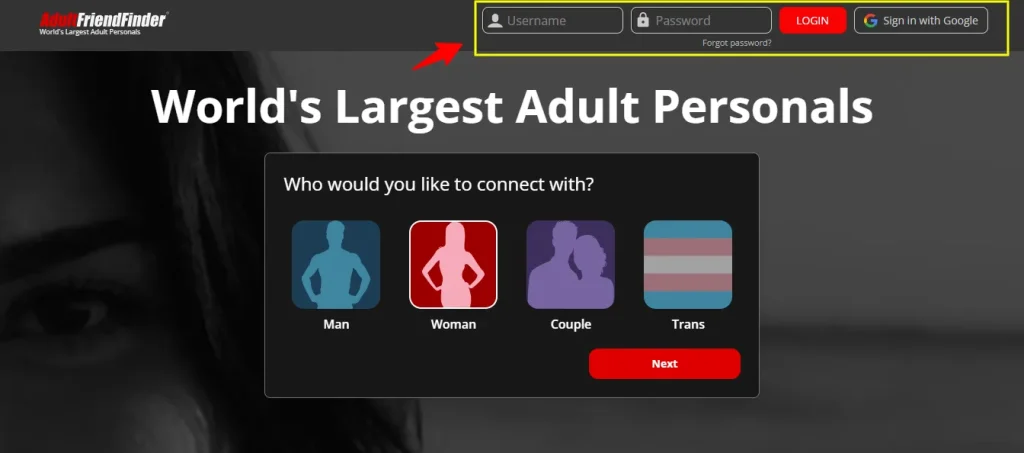
- Log in to AdultFriendFinder with your username and password.
- From your member homepage, click My Account in the top menu.
- In the Account section, click Billing History & Credit Card Info.
- Find product status at the top of the page.
- Click OFF under product status. Do this for every product listed: Gold and any add-ons renew separately.
These are the steps from FriendFinder Network's own help page, which covers AFF and its sister sites. Once it's done, take a screenshot showing every product as OFF and save any confirmation email. If a charge turns up later, that screenshot is your evidence.
🤳 On your phone: open AFF in your phone's browser, sign in, and follow the same path through the menu. Bigger screens make the product-status switches easier to spot, so use a laptop if you have one.
Bought extra Credits or a one-off upgrade? Those were single payments, so there's nothing to switch off. Only recurring products show a status toggle.
Remove your AFF profile
With billing switched off, you can remove the profile itself. AFF calls this Cancel My Membership, and it asks you to confirm that you want your profile permanently removed.
- Log in and click My Account at the top of the page.
- Click My Profile.
- Click the Cancel My Membership link.
- When asked “Are you sure that you wish to cancel your membership and permanently remove your profile?”, confirm.
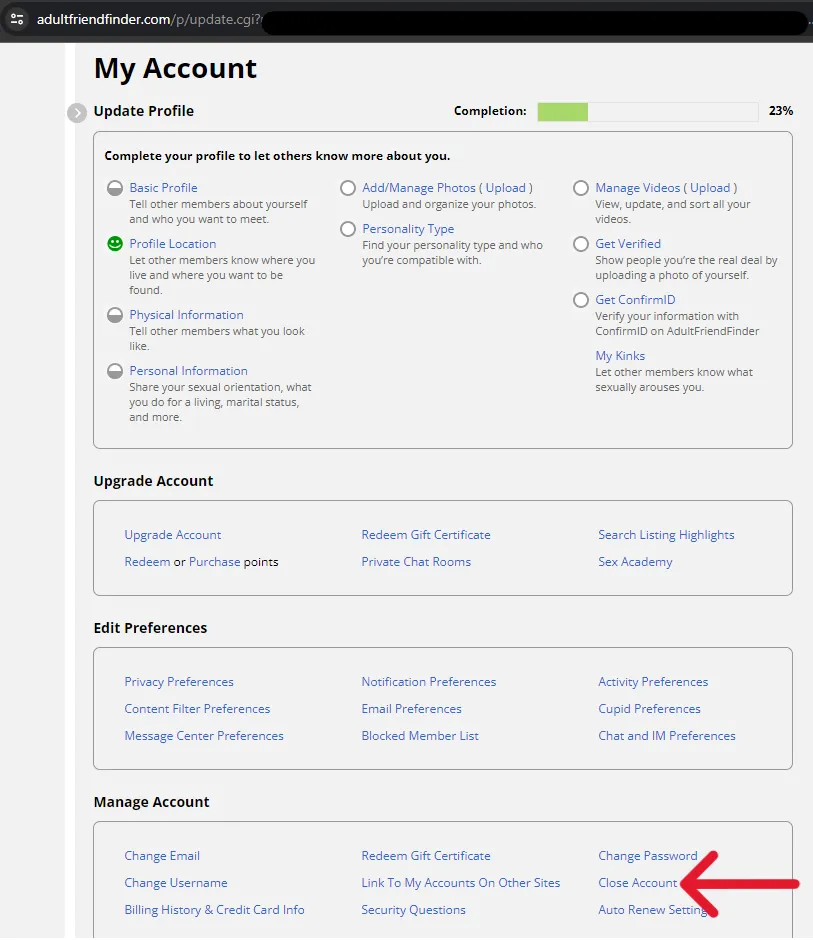
On some older versions of the site the same option sat under My Account → Manage Account → Close Account. If you can't find either link, call customer service and ask them to close the account while you're on the line:
| Where you are | Toll-free number |
|---|---|
| United States | 888-575-8383 |
| United Kingdom | 0800 098 8311 |
| Australia | 1800 954 607 |
Those numbers come from the FriendFinder Network terms of use. Before you hang up, ask for a reference number and write down the date and time.
Before you remove it: save any messages or photos you want to keep. AFF describes removal as permanent, and nothing in the network's privacy policy explains how to restore a removed profile.
Ask FriendFinder to erase your data
Removing your profile takes it off the site. It isn't the same as the company deleting your records.
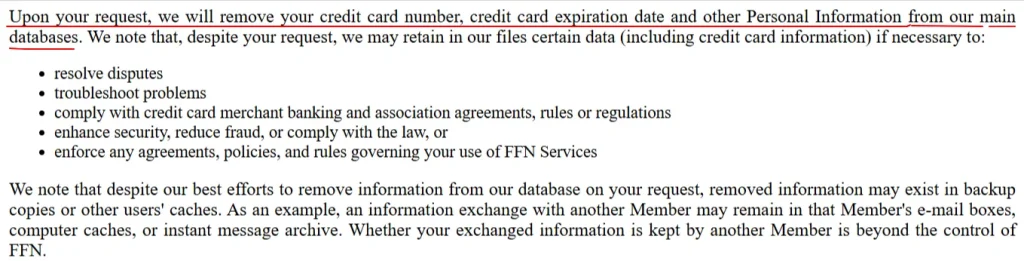
The FriendFinder Networks privacy policy (updated 5 September 2025) says it will remove your card details and other personal information from its main databases “upon your request”. So you have to ask.
This matters more on AFF than on most sites. In the October 2016 breach of the FriendFinder network, attackers took data on more than 400 million accounts. That included 15,766,727 AFF accounts that users had already “deleted”, according to Computing.
Email privacy@friendfindernetworks.com from the address on your account. Copy and paste this, and fill in the brackets:
Subject: Request to delete my personal data – [username]

Hello,

I have closed my AdultFriendFinder account (username: [username], email: [email]). Please delete all personal data you hold about me, including payment card details, as your privacy policy describes.

[EU/UK only: I am making this request under Article 17 of the GDPR.] [California only: I am making this request under the California Consumer Privacy Act.]

Please confirm in writing when this is done, and tell me what data you are keeping and why.

Thanks, [Your name]
What to expect back:
Check your statement for FFNHELP charges
AFF doesn't bill under its own name. Charges come from FriendFinder Networks and usually start with FFNHELP. That's why so many people search “what is FFNHELP” after spotting one.
| What you might see | What it is | Source |
|---|---|---|
| FFNHELP or FFNHELP.COM | FriendFinder Networks, AFF's parent company | ExplainCharges |
| FFNHELP.COM*ADULTFRIEN | An AdultFriendFinder purchase or renewal | ScamCharge |
| FFNHELP.COM*+14087021033 | The same network, with a support number attached | HubPages |
| AFF or Friend Finder Networks | Plainer versions some banks display | DevelopNSolve |
Users on ScamCharge report FFNHELP charges turning up months after they deleted their accounts. Most of those are renewals that were never switched off, which is exactly what Step 1 prevents.
How to check properly:
If something gets in the way
| Problem | What to do |
|---|---|
| You've forgotten your username or password | Use the forgotten-password link on the login page and reset it through the email on the account. Then follow Steps 1 and 2 as normal |
| You no longer have access to that email | Call customer service (numbers in Step 2). Give them the card's last four digits and the date of a recent charge so they can find the account |
| You can't find the OFF switch | Check you're on Billing History & Credit Card Info, not your profile page. If it still isn't there, call and ask them to switch off renewal while you wait |
| You deleted the app or bookmark and assumed that was it | It wasn't. Nothing is cancelled until the product status says OFF. Log back in and do Step 1 |
| You paid with something other than a card | Check that payment provider for an active recurring payment as well, and cancel it there too |
| You don't remember signing up at all | Treat it as possible card fraud. Call your bank, cancel the card and dispute the charges |
💰 Can you get a refund?
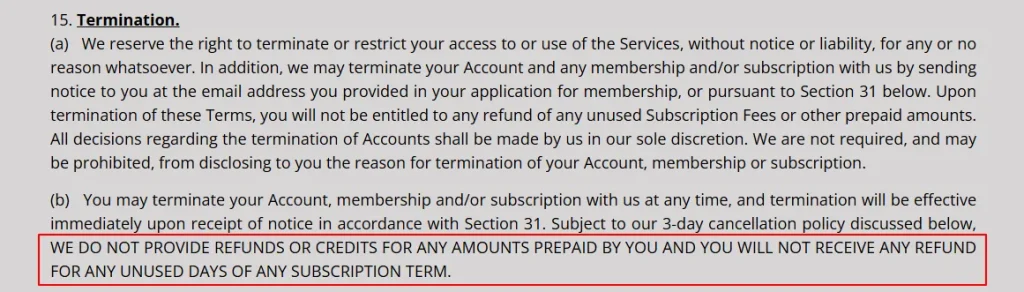
Usually not. The terms say: “We do not provide refunds or credits for any amounts prepaid by you and you will not receive any refund for any unused days of any subscription term.”
There are three exceptions worth knowing:
👉 Joined other FriendFinder sites too? Check each one
AFF is one site in a bigger network run by FriendFinder Networks. Its sites include FriendFinder.com, ALT.com, Cams.com, Amigos.com and BigChurch. XMatch and TSDates run on the same system, and their terms name the same company: Various, Inc.
If you joined more than one, or bought add-ons from a sister site, each can carry its own subscription. All of them bill as FFNHELP, so one line on your statement doesn't tell you which site it came from. Repeat Step 1 on every network site you've used, then check the Billing History page on each.
The 2016 breach is another reason to do this. Attackers took data from several network sites at once, not just AFF.
📌 FAQ
How do I cancel my Adult Friend Finder subscription?
Log in, go to My Account → Billing History & Credit Card Info, and click OFF under product status for every product listed. That stops auto-renewal. Removing your profile is a separate step.
Does deleting my AFF profile stop the payments?
Don't count on it. The terms say recurring charges are stopped from the Billing History page, so switch renewal off there first, then remove the profile.
Is Adult Friend Finder easy to cancel?
It takes about five clicks once you know where the switch is. Most complaints come from people who removed their profile or deleted a bookmark and assumed billing had stopped with it.
Will I get a refund for the time I don't use?
Normally no. The terms rule out refunds for unused days. The exceptions are a three-business-day window for residents of 12 US states, a death-or-disability rule in four states, and charges that land after you'd already switched renewal off.
What is FFNHELP on my bank statement?
It's the billing name used by FriendFinder Networks, AFF's parent company. Variants include FFNHELP.COM*ADULTFRIEN. If you don't recognise one, check every FriendFinder site you've joined before you call your bank.
Does AFF really delete my data?
Only if you ask, and not all of it. Its privacy policy says it removes personal data from its main databases on request, but keeps some for disputes, fraud and legal reasons, and copies may stay in backups. Send the erasure email in Step 3.
What happened to Adult Friend Finder?
It's still running. The site is operated by Various, Inc. (part of FriendFinder Networks) from Mountain View, California, and the terms that cover it were last updated in September 2024.
🎯 Leaving AFF but not leaving dating?
If AFF wasn't working for you, here's where we'd look next: