OurDream AI Group Chat Explained: Memory, Characters & Limits


Twelve AI girls. One chat window. Twelve separate voices instead of one blurry hive-mind that forgets who is who by message ten.
That is the pitch, and it is a big one. Most AI girlfriend apps still lock you into a 1-on-1 box, so the second you want a flatmate walking in mid-scene, you are stuck. OurDream AI group chat is the fix, and it currently holds the biggest published cast size of any NSFW AI roleplay app going.
So here is the full picture: how many characters you actually get, what the setup screen asks you for, how the memory holds up when a dozen personalities are shouting at once, what each spicy extra costs in dreamcoins, and where the whole thing starts to creak.
The 30-second answer
OurDream AI group chat lets you put up to 12 AI characters into one conversation with a scenario you write yourself. Each character keeps her own personality, memory context and voice instead of blending into one bot. You steer the scene with a lust level slider, response length and pinned memories. Messages are unlimited on premium, though the top three AI models cost 1 dreamcoin per message unless you are on Deluxe.
✨ OurDream AI group chat at a glance
| Thing you want to know | The actual answer |
|---|---|
| Max characters in one group chat | 12 AI characters, plus you |
| Do they stay in character? | Yes, each keeps her own personality, memory and tone |
| Shared story support | Yes, you write a scenario the whole cast plays inside |
| Secret context | Yes, private instructions only the AI sees |
| Memory | Auto Memory Log, Pinned Memories, Custom Instructions |
| AI models | 5: Balanced, Muse, Genius, Muse Genius, Mastermind |
| Cost of the chat itself | Unlimited messages on premium (top 3 models: 1 coin per message) |
| Cost of extras | Voice calls 1 coin a second, clips from 100 coins |
| Plans | Premium from $9.99/month, Deluxe from $29.99/month |
| Free taster | 5 messages with no account, 55 dreamcoins at signup |
👀 What OurDream AI group chat actually is
Think of it less like a group DM and more like a director's chair.

You pick a cast. You write the scene. Then you drop yourself into the middle of it and everyone reacts, to you and to each other. The step-sister and the flatmate can bicker.
The dominant one can talk over the shy one. Three of them can gang up on you, which is the whole reason a big chunk of the userbase switches this on in the first place.
The bit that makes it work is separation. Every companion in the thread runs on her own personality block, her own relationship setup with you, and her own voice.
Nothing gets averaged out. Build one as a bratty art student and another as a cold, controlling boss, and they will not swap accents halfway through the scene.
You can build the cast yourself or pull public characters straight from the community library, which sits in the tens of millions of user-made characters.
Mixing one custom AI girlfriend with a few public ones is the fastest way to get a group roleplay running on a night when you cannot be bothered writing bios.
💕 The cast limit, and the number you should actually use
Straight answer: 12 characters per group chat.
Twelve is the ceiling, not the recommendation.
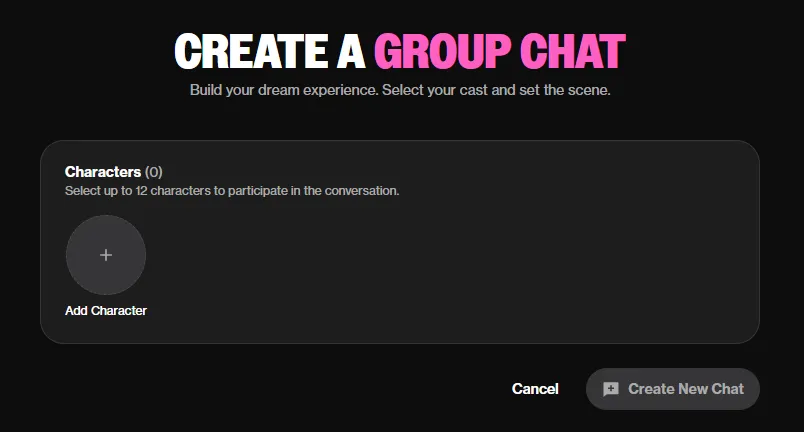
Every extra companion in the thread is more context the model juggles per reply. Push the cast high and replies slow down, and the quietest character has a habit of fading into the wallpaper.
Most people who run these nightly settle around three to five. Two feels thin. Twelve is a party scene, brilliant for chaos, rubbish for a slow burn where you actually want to hear one person breathe.
Field note: the AI handles turn-taking on its own, but you can direct traffic. Naming a character in your message (“Priya, you have not said a word”) drags her straight back into the scene. Use it constantly once your cast goes past four. It is the difference between a group roleplay and a wall of text.
😉 How to start a group chat on OurDream AI
Setting one up takes about five minutes. Here is the order that works:
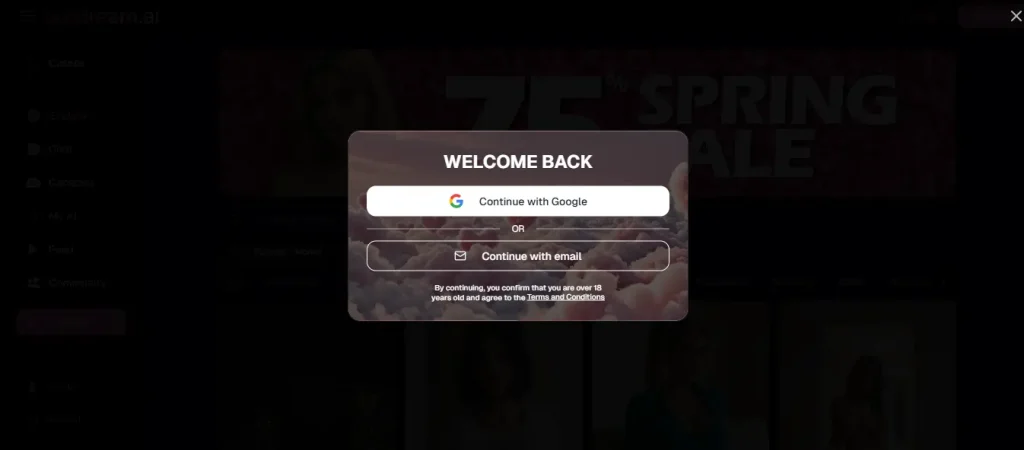
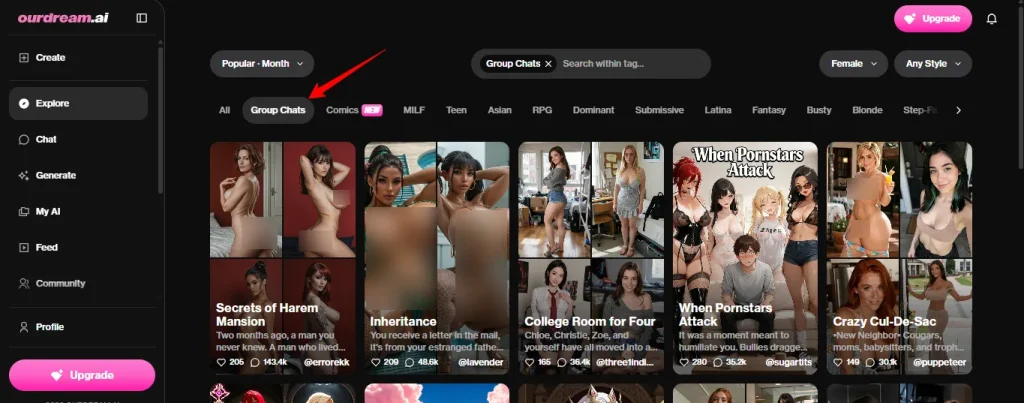
- Sign in and go to Explore. There is a filter row across the top with Group Chats sitting near the front, alongside Comics, MILF, RPG and the rest of the tags.
- Pick a ready-made group chat, or start your own. The pre-made ones are handy for a first run because the cast and the premise are already glued together.
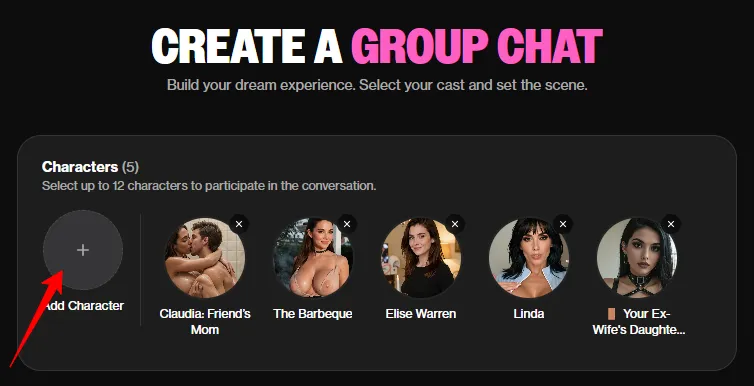
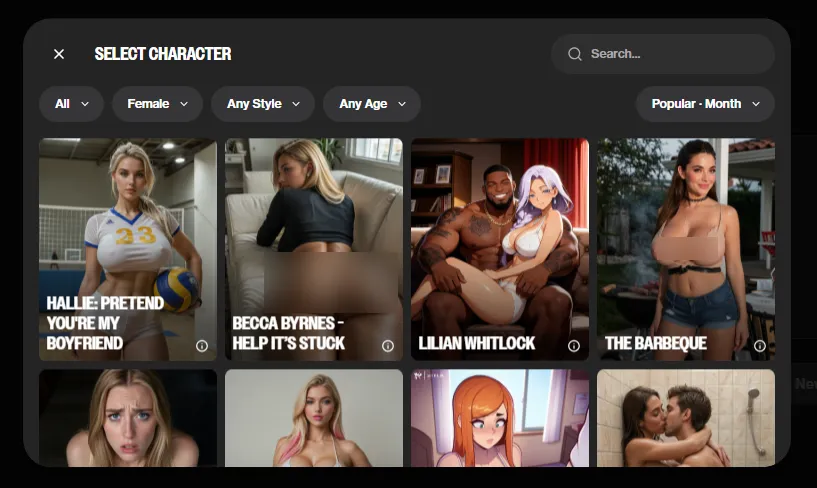
- Add your characters. Pull from My AI for your own builds, or from the public library. Twelve is the ceiling, three to five is the sweet spot.
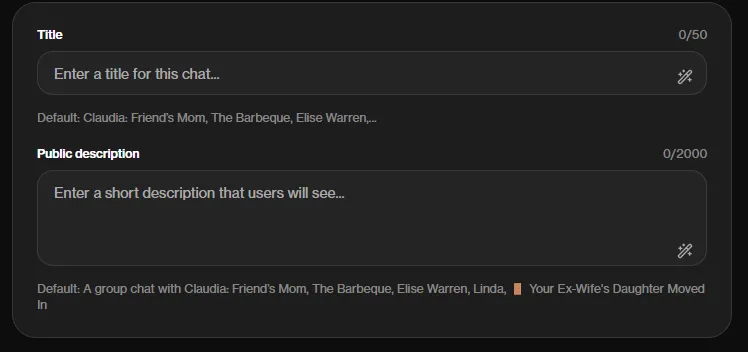
- Give it a title. 50 characters. Leave it blank and it just strings your characters' names together, which gets confusing once you have a few of these running.
- Write the scenario. The big box, with 50,000 characters to play with. This shows at the start of the chat, so it briefs you and the cast at the same time. Where you are, who wants what, what is about to go wrong. Vague setups produce vague scenes.
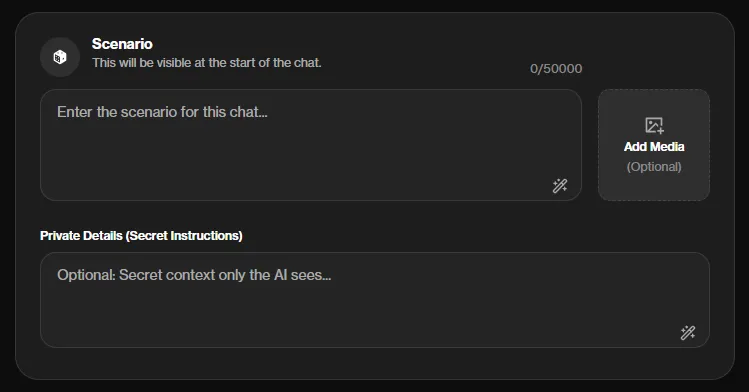
- Fill in the private details box. Also called secret instructions, and it is the sharpest tool on the page. Context only the AI sees: hidden motives, who is secretly sleeping with whom, which character is lying to you. The cast plays it out without the twist being handed to you in the scenario text.
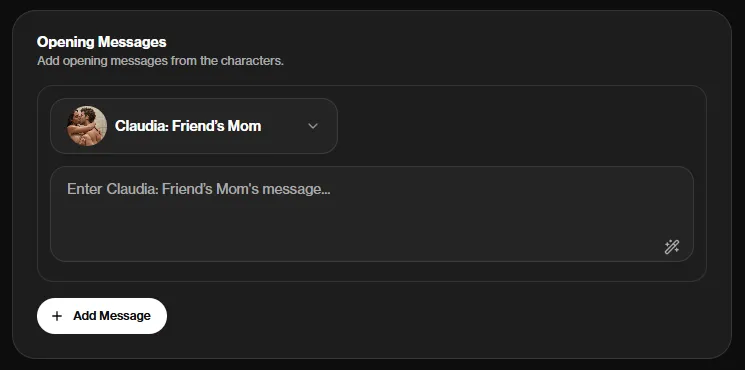
- Add opening messages. Write a first line for each character so nobody starts cold. A group chat that opens mid-argument beats one that opens with five hellos. Drop in a cover image while you are here if you want one, 3:4 works best.
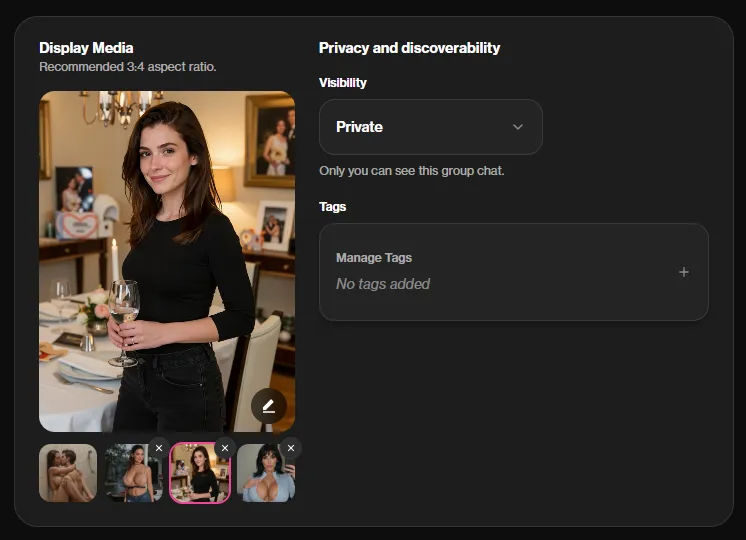
- Check visibility and tags. Private by default, so nothing leaks unless you switch it. The public description box and tags only matter if you decide to share the group.
- Set each character's lust level before you start. This is the step people skip. Stagger them. A cast where one girl is at maximum and one is barely warm gives a far better slow burn than a dozen at full throttle.
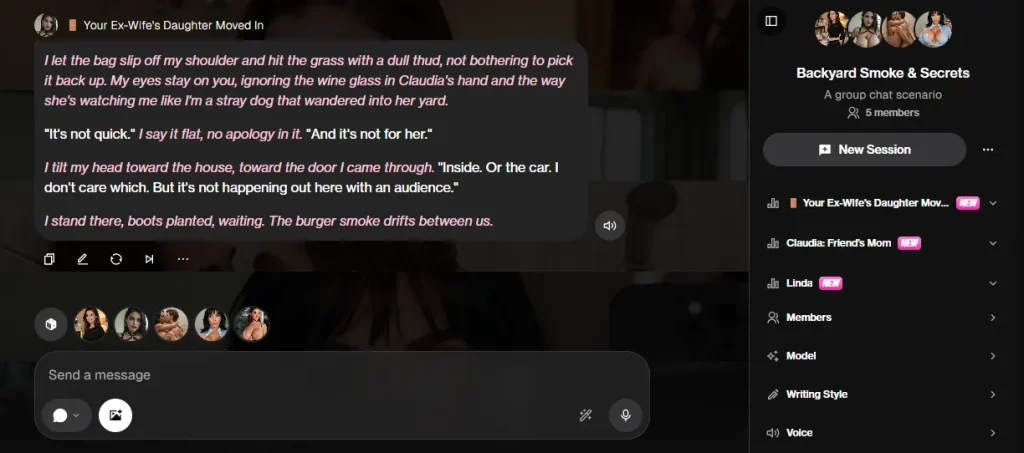
- Choose your chat model, then send your first message in second person. “I walk in and the room goes quiet” gives the AI far more to work with than “hi”.
🧠 Memory in group chat, layer by layer
Memory is the thing this category lies about most, so let us be specific. OurDream stacks three kinds, and they behave differently once you have a proper cast in the room.
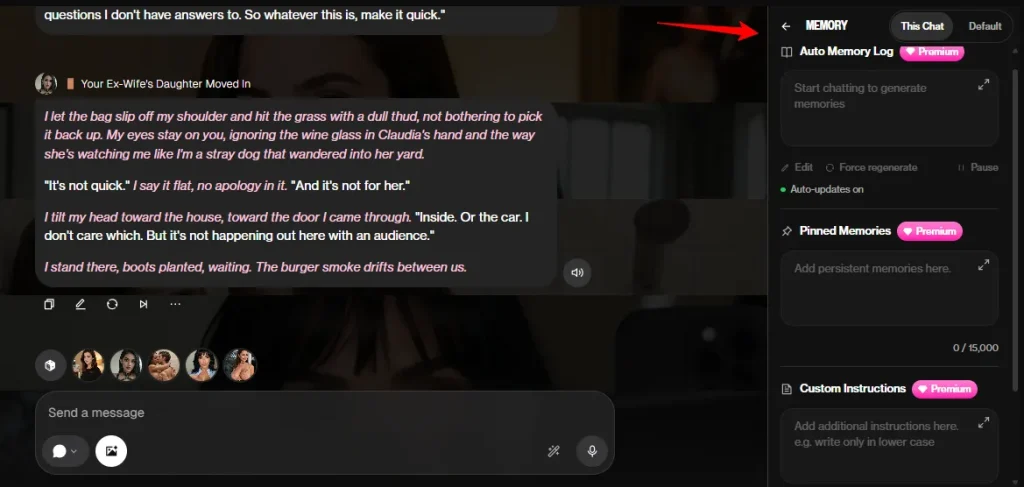
Auto Memory Log. The AI grabs key moments from your chats on its own. Names, what happened, who did what to whom. No saving, no faffing. In a group thread each character tracks her own history with you separately, so the shy one can still be shy while the other two have moved on to something filthier.
Pinned Memories. Facts you stick to the thread manually so the model stops losing them. “It is her birthday.” “You two broke up in March.” “Nobody knows about the kiss.” Pin early in group chats, because shared plot points are the first casualty when a dozen characters are talking.
Custom Instructions. Behaviour rules for the thread. Who you are in the scene, how the cast should treat you, what the tone is. Skipping this is why some people's group chats keep defaulting to a generic bloke with no name.
| Memory type | Set by | Best use in group chat |
|---|---|---|
| Auto Memory Log | Automatic | Per-character relationship history |
| Pinned Memories | You, manually | Shared plot points the whole cast must hold |
| Custom Instructions | You, per thread | Your identity and the rules of the scene |
One thing worth knowing: the Deluxe plan runs 3x chat memory. For a solo chat that is a nice-to-have. For a twelve-hander where the context is being split a dozen ways, it is the single biggest quality upgrade on the pricing page.
⚡ The 5 AI models, and which one to run a group on
OurDream runs five models and you can swap between them mid-thread.
| Model | What it does | Cost |
|---|---|---|
| Balanced | Fast, smart, spicy. The default flagship | Included |
| Muse | Vivid, varied prose, distinct voice per character | Included |
| Genius | Deeper scene understanding, better memory | 1 dreamcoin per message |
| Muse Genius | Muse's writing plus reasoning that holds tension across long scenes | 1 dreamcoin per message |
| Mastermind | The most powerful, with an unhinged streak when the scene calls for it | 1 dreamcoin per message |
For group chats specifically, Muse is the one. Its whole job is giving every character a distinct voice, which is precisely the thing that breaks first when a dozen personalities share a thread. If your girls start sounding identical, that is the switch to flip.
Muse Genius is worth the coin on a long plotty scenario where the tension has to hold. Mastermind for when you want the scene to go somewhere unhinged.
Watch the meter though, because a per-message cost adds up fast in a thread that moves like group chat does. Unless you are on Deluxe, which includes the premium models at no coin cost, and that alone changes the maths for heavy group players.
✨ The controls you get mid-scene
These sit inside the chat, not buried in settings:
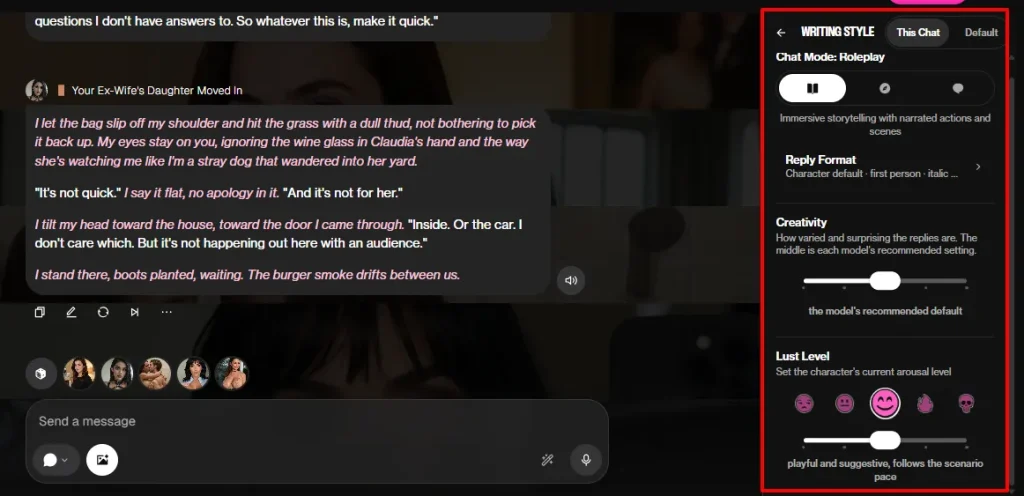
Active Messages is the underrated one for group play. Switch it on with a big cast and people ping you unprompted, which does more for the feeling of a room full of people than any amount of prompt writing.
💰 What OurDream AI group chat costs
Messages are unlimited on paid plans, which matters far more here than in a 1-on-1 sext, because a six-way scene chews through messages several times faster.
On a free account it is different: each message costs 1 dreamcoin, and you get 55 to start. That is not a group chat budget. It is a look around.
| Feature | Dreamcoin cost |
|---|---|
| Message, free account | 1 coin |
| Message on Genius, Muse Genius or Mastermind | 1 coin (included on Deluxe) |
| Voice call | 1 coin per second |
| Video clip | From 100 coins for an 8-second Spicy 1.0 clip, more for Spicy 2.0 and Cinematic |

| Plan | Price | What lands in your account |
|---|---|---|
| Free | $0 | 5 messages with no account, 55 coins at signup |
| Premium | $19.99/month, or $9.99/month billed annually | Unlimited messages, 1,000 coins a month, 1,000 bonus on annual |
| Deluxe | $59.99/month, or $29.99/month billed annually | 5,000 coins a month, 5,000 bonus on annual, 100 minutes of voice calls, 50 videos, premium chat models included, 3x chat memory |
Coin top-ups run $11.99 for 1,000, $49.99 for 5,000 and $159.99 for 20,000, so the big bundle works out roughly a third cheaper per coin.
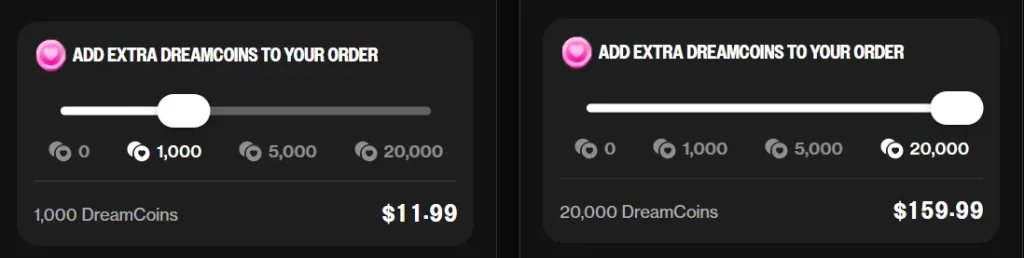
Real talk on budget: a ten-minute voice call is 600 coins, over half a Premium allowance in one sitting. Deluxe bundling 100 minutes of calls and 50 videos is the tier built for people who use this stuff nightly. Pricing moves about here, so check the live page before you commit.
🤔 Where group chat falls over
Nobody needs another glowing feature list, so here are the actual annoyances:
And the flip side, because it earns it:
👥 Six group chat setups that actually work
Rather than a limp “try roleplay” line, here are casts that hold up:
✅ Group chat tips from people who run them nightly
🚀 How it stacks up against rivals
| Platform | Multi-character chat | Cast size | Memory |
|---|---|---|---|
| OurDream AI | Yes, with scenario and secret instructions | Up to 12 | Auto log, pins, custom instructions |
| Candy AI | No native group chat | 1-on-1 | Session-weighted |
| Kupid AI | No | 1-on-1 | Rolling window, 30 to 100 messages |
| Crushi AI | No true group thread | 1-on-1 | Memory, no published cast feature |
| Character.AI | Group chat, heavily filtered | Several | Session-based, SFW enforced |
Short version: plenty of apps do NSFW chat and a couple do group chat. Very few do both, and none published a bigger cast limit. That is the entire reason this feature keeps coming up on AI companion forums.
🎯 FAQs about OurDream AI group chat
How many characters can join an OurDream AI group chat?
Up to 12 AI characters in one conversation, plus you. Performance is best somewhere between three and five, since replies slow as the cast grows.
Do characters remember each other in group chat?
Yes. Each companion keeps her own personality, memory context and tone, and the auto memory log tracks her history with you separately from the others. Shared plot points hold better if you pin them.
Is OurDream AI group chat NSFW?
Completely. There is no filter wall mid-scene, and the lust level slider runs from innocent to explicit, set per character before you start.
Does group chat cost extra dreamcoins?
Not on Balanced or Muse with a paid plan, where messages are unlimited. Genius, Muse Genius and Mastermind cost 1 dreamcoin per message on Premium, and come included on Deluxe. Free accounts pay a coin per message regardless.
Which AI model is best for group chat?
Muse. It is built to give every character a distinct voice, which is the first thing that breaks with a large cast. Muse Genius if the plot needs to hold across a long session.
What are secret instructions in a group chat?
A private context box only the AI reads. Hidden motives, affairs, lies, who is about to betray who. The cast plays it out without the twist being spelled out to you in the scenario text.
Can I use public characters in my group chat?
Yes. Mix your own builds with community characters from the public library, and you can copy any public character and edit her before adding her to the cast.
Is my group chat private?
Yes by default. Visibility is set to private on creation, so only you can see it unless you switch it public and add tags.
Is there a free way to test OurDream AI group chat?
Sort of. You get 5 messages with no account and 55 dreamcoins at signup, but free messages cost a coin each, so 55 goes nowhere in a multi-character thread. Treat it as a look around, not a trial.
📌 Final verdict
If your idea of a good night is one companion sexting you back, group chat is something you will switch on twice and forget. Fair enough.
But if you have ever been mid-scene and thought this would be better with someone else in the room, nothing else comes close. Twelve characters, separate voices, per-character lust control, a secret instructions box that lets you rig the whole thing, and no filter tapping you on the shoulder when it gets rude.
The catch is the coin economy on Premium. The models that make big casts sing cost a coin a message, and voice calls at a coin a second empty a balance in an evening. Deluxe fixes both, at triple the price.
Start with three characters and a scenario you actually care about. Hide the twist. Then let them argue.

Stay Updated with Us